
Witch Filter Effect: Your Halloween Witch Transformation from One Photo
The witch filter effect is the Halloween post everybody is making this week: a photo goes in, golden smoke rolls across the frame, and the same person comes back in a pointed hat and a plum cloak, candles and carved pumpkins around them. Pick a clip below, add one photo, and AI puts your face, your friend’s face or your cat inside it — the smoke, the room, the hat and the sound already in place.
- One photo
- 4 to 8 seconds
- Cats and dogs too
- Keeps the sound
Sexually explicit (NSFW) content is strictly prohibited.
Pick a sample
Rendering takes about 7 min. Finished clips land in History.
TL;DR
At its peak · as ofThe witch filter effect turns one photo into a few seconds of Halloween magic: golden smoke sweeps across the frame and the person, or the pet, comes back as a witch in a pointed hat and a plum cloak. It began as a TikTok Effect House filter in October 2025 and came back this October as a one-photo CapCut template, which is why the feed is full of it. On Halloween it is at its peak; like every Halloween look, it should fade fast in November.
- Original post
- The AI Halloween Witch filter post that set the look · @imaginemoreai
- Sound
- original sound - mariemar4771 — open it in TikTok and tap “Use this sound”.
- Also called
- Witch transformation, AI Halloween Witch filter, Witch filter AI, Witch smoke filter, Halloween witch filter
- Last updated
Witch Filter Effect Examples
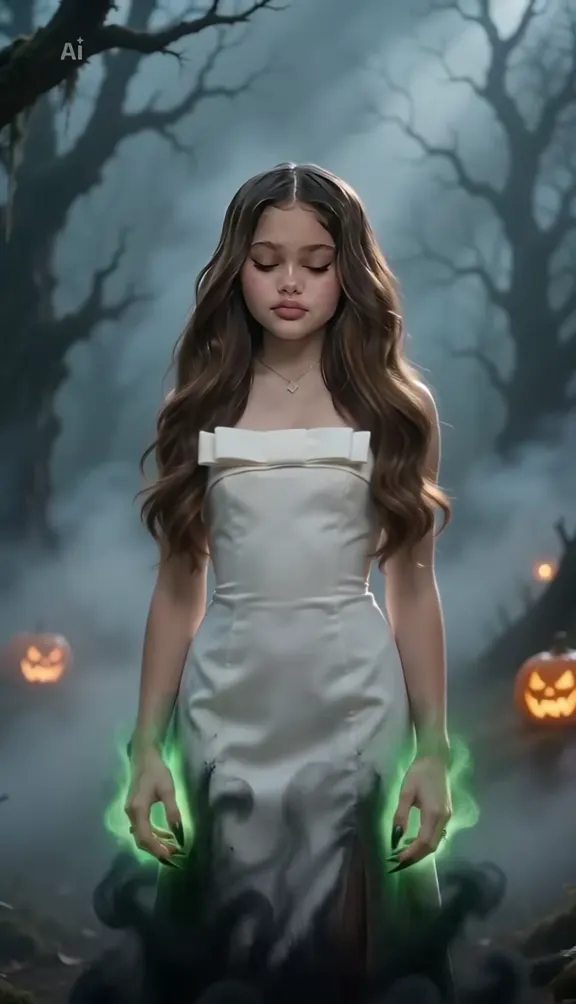
Ten witch filter effects from TikTok and from the template’s own gallery: the white dress in the fog, the orange smoke, the dark queen with the horned crown, the flower hat and the pumpkin, an orange cat, a golden retriever, a man on a cobbled street. Each one shows the same thing — one photo in, a witch out — so pick the room and the look you want and AI keeps your face under the hat.
White dress to a witch in the woods
@bvideo.creat on TikTokThe orange smoke AI Halloween witch
@imaginemoreai on TikTokThe dark moon witch queen
@hfki48573659 on TikTokFlower crown to the green-eyed witch
@bjgfh67 on TikTokA witch with a broom in the kitchen
@imaginemoreai on TikTokWhite dress, green eyes
@user9902411236621 on TikTokThe orange cat witch
View on TikTokThe golden retriever witch
View on TikTokPark bench to the candle-lit witch
View on TikTokYour boyfriend as a wizard
View on TikTokWhat Is the Witch Filter Effect?
The witch filter effect is a one-photo Halloween transformation. You add a photo, golden-orange smoke sweeps across the frame, and the person in it comes back as a witch: a tall pointed hat, a plum cloak over black lace, dark lipstick, candles and carved pumpkins around them. The clip runs four to eight seconds and keeps the sound of the post it came from.
The witch filter effect runs on two engines. It started as a TikTok Effect House filter called AI Halloween Witch, which turned your face into a witch live on camera; the orange-smoke clip in the gallery is that filter’s biggest post. This year the same look travels through a CapCut AI template called witch transformation, which needs one photo and nothing else, and most of what is posted under #witchfilter (11.3M views) and #witchtransformation is that template’s output.
That is why the skill is not in the effect but in the template: the hat, the cloak, the room, the smoke and the timing are all fixed by the clip, and you only supply the face. Here the witch filter effect is one step — pick a clip, add a photo, and the AI replaces the person inside it while the smoke, the room, the hat and the sound stay exactly where they are. No hunting for the template, no costume, no makeup.
Three Halloween trends look close and are worth telling apart. The enchantress filter is the horned-crown moon witch with no hat and no pumpkins; the witch filter prank, which TikTok also completes for this search, is the ghost filter that puts a face behind you and scares children; and the Halloween transition is a costume reveal filmed twice, where you stay yourself and the costume is whatever the clip ends on. This page is the smoke-and-hat one, and the dark-witch clips in the gallery are the only place it overlaps with the enchantress.
Timeline
The first AI Halloween Witch filter goes up on TikTok’s Effect House, turning your face into a witch live on camera.
The orange-smoke version of the filter reaches 2.2M plays, still the most-played witch filter post there is.
The dark witch queen version, with a horned crown under a full moon, takes off at 521K plays.
The one-photo CapCut "witch transformation" template spreads through #capcutpioneer; its cleanest post passes 400K plays in two days.
How to Make the Witch Filter Effect
- 1
Pick the witch you want
The candle-lit witch, the dark queen with the horned crown, one of the pet versions, or the plain template render on a woman, a cat, a dog or a man. The room, the hat, the smoke and the sound come from that clip.
- 2
Add one photo
A clear, face-forward photo of yourself, a friend or your pet. the witch filter effect keeps that face under the hat, so the transformation reads as you and not as a stranger in a costume.
- 3
Create and post
You get the clip at the sample’s own length with its original sound, ready for TikTok with #witchfilter or #halloween. Download the MP4, switch on the AI-generated label, and post it.
Tips for a Witch Filter Effect That Reads as You
Face the light, keep the head in frame
The smoke hides the face for about a second, so the model needs a clear read of it before and after. Head and shoulders, even light, no sunglasses, no mask, and the top of the hair included so the hat sits on it.
Let a plain photo do the work
The transformation is in the clip, not in the photo. A selfie against a wall turns out better than a busy street, because there is less for the model to keep and less for the smoke to contradict.
Pets should sit up and look at the lens
The cat and dog versions are built on a sitting animal facing the camera. A photo of your pet sitting on a table or a window sill, whole head visible, is what lets the hat land in the right place.
Match the hair to the hat
Long, loose hair reads best under a pointed hat; a ponytail or a buzz cut works too, but say so in the prompt for the witch filter effect rather than letting the model grow hair on you. If you wear a beard, say to keep it: the man sample keeps his.
Pricing
Each witch filter effect video is one use (700 credits), whether you pick 4, 5 or 8 seconds. The price is on the button before you start, and nothing else is added.
A single use is $9.90; packs of 4 and 8 uses, or a monthly plan that posts trend videos to your accounts for you, cost less per video. A render that fails is refunded automatically.
Autopilot plans
Every month we turn the newest trends into meme videos and post them to your accounts. Each post is one of the plan’s videos, and any you make yourself come out of the same count. Cancel any time.
One-time video packs
Pay once and use them on any trend template, at any length. The credits never expire, and the other video tools can spend them too.
Use it responsibly
- Only upload photos of yourself, of people who said yes, or of your own pets.
- Do not use it to make someone look like they did something they did not.
- Label the result as AI when you post it; TikTok and Instagram both have an AI-generated tag.
- A friend’s photo needs their yes before you upload it, even for a Halloween clip.
Frequently Asked Questions
What is the witch filter effect on TikTok?
It is a one-photo Halloween transformation: golden smoke sweeps across the frame and the person in the photo comes back as a witch, in a pointed hat and a cloak, in a candle-lit room with pumpkins. In 2026 most of the posts use a CapCut AI template called witch transformation, under #witchfilter and #witchtransformation; before that it was a TikTok Effect House filter called AI Halloween Witch.
How do I do the witch filter effect with my own photo?
Pick a clip on this page, upload one face-forward photo and create. AI replaces the person in the clip with the person in your photo and keeps the smoke, the room, the hat and the original sound, so you get the witch filter effect without finding the template or buying a costume.
What happened to the witch filter?
Nothing, but effects come and go from the TikTok effects tab: Effect House filters are unpublished by their creators, and the AI Halloween Witch filter from last October is not always searchable. The version people use now is the CapCut template, and resellers post it faster than the template itself can be found. This page does not depend on either — the transformation is the sample.
Is the witch filter AI, or a real costume?
Both versions exist. The smoke-and-hat clips are AI: the face goes in, the look comes out, and the smoke covers the cut. The real version is a makeup and wig transition filmed twice, before and after, with a hand or a phone hiding the join. The giveaway is the room: an AI witch is usually in the same candle-lit stone room, because it is the template’s room.
Is the witch filter the same as the enchantress filter?
No. The enchantress filter — “filtro hechicera”, also called the dark moon or Hecate witch — is the horned crown, black lace and full moon version, with no pointed hat and no pumpkins. The two overlap only in the dark-witch clips in this gallery; if that is the look you want, pick the dark queen sample here or use the enchantress version.
Is the witch filter the same as the witch filter prank on kids?
No. “Witch filter prank” and “witch filter on kids” are how people search for the ghost filter prank: a scary face appears behind someone and the children scream, and the biggest of those posts are past 13M plays. It is a different effect with a jump scare. Nothing on this page does that; in the witch filter effect the witch is you.
Can I use a photo of my cat or my dog?
Yes, and it is one of the better versions. The cat and dog clips in the gallery put a pointed hat and a plum cloak on the animal and never turn it into a person; upload a photo of your pet sitting and facing the camera with its whole head in frame.
Does the witch filter effect work on a man?
Yes. The man sample in the gallery is the same smoke and the same candle-lit room on a man in a denim jacket, and it keeps his beard. A boyfriend or a friend becomes a wizard rather than a young witch, but the transformation is the same.
Which CapCut template is the witch filter effect?
The template is called witch transformation, and the videos that carry it are mostly phone-screen tutorials posted under #capcutpioneer, which is why the result is only the first few seconds of the post. Every clip in this gallery is cut to that result half, so you see the witch filter effect itself rather than someone tapping through CapCut.
What is the Witch Filter Effect AI prompt?
The candle-lit witch prompt is in the AI Prompts section below. It starts: "Image 1 is the person." Paste the rest into any AI video tool that accepts your photos.
Who Are You Turning Into This Halloween?
One photo, one sweep of smoke, and the witch filter effect hands back a clip with the hat, the room and the sound already on it.
Make my witch videoMore Trends to Remix
Enchantress Filter
Victoria Secret AI
Nightwing Trend
Broom Riding Trend
Halloween Transition
Pumpkin Head Trend
Thriller Dance
I'm Sorry I Lied Trend
AI Prompts for the Witch Filter Effect
The prompts behind the effect, for any image-to-video model that takes a reference photo. Each one describes the smoking room, the sweep of the smoke and the witch left behind; change the room, the colour of the cloak or the hat, and keep the line about the face the same.
Candle-lit witch
Image 1 is the person. A vertical phone video. A candle-lit stone room: shelves of glass bottles, a black cauldron smoking green, carved pumpkins on the floor, a small window with a full moon behind it, deep shadows and warm candlelight. Golden-orange smoke pours in from both sides of the frame, curls around them and hides the face for a second, then sweeps away in one slow pass. Under the smoke the same person is now a witch: a tall pointed black hat with a plum band, a deep plum cloak with a silver clasp over a black lace dress, dark lipstick and long loose hair. They look up into the lens and hold the look. Keep the face, skin tone, eye colour, hair colour and build exactly as in the photo, so it is plainly the same person before and after the smoke. Natural candlelight, deep shadows, no text, no logos. Audio: a low whoosh as the smoke passes, then a soft Halloween music box.
Other versions: Dark witch queen · Your cat or your dog · Your friend, at home