I'm Sorry I Lied Trend AI: Glam First, Then the Real Photo
Upload the real photo, the one with the homemade costume and the crooked wig, and get the whole joke as a video: a glamorous AI version first, a "sorry, I lied" step down, then your actual picture for the punchline. Works on childhood costumes, today’s selfies, couples and pets.
- One photo
- AI glam to real
- Original sound
- No watermark
Add the real photo as Image 1: an old Halloween costume, a selfie, a couple or group shot, or your pet. The video ends on it exactly as it is.
Sexually explicit (NSFW) content is strictly prohibited.
Rendering takes about 40s. Finished clips land in History.
I'm Sorry I Lied Trend Examples
The format barely changes: the glam version, one or two "sorry I lied" slides, then the real photo. These I’m Sorry I Lied trend posts play from TikTok, so they stay under their creators’ control.
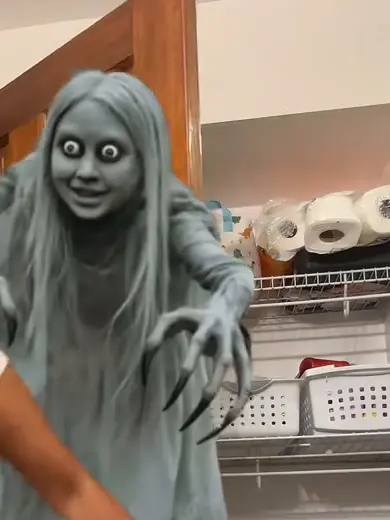
The witch who was green
"Sorry I lied, my face was green." Then the dress was black too. 870K plays.
@3gracie32 on TikTokSmurfette, a clown and a candy box
Three reveals in one post, then how the CapCut template is used. 935K plays.
@zzda138 on TikTok"No AI, I’m just so sorry"
The green-haired Joker who needed no help from AI. 398K plays.
@urmomfanpage001 on TikTok"I was still cute tho"
A party clown who owns the reveal. 376K plays.
@lilostitch_2012 on TikTokSnow White, almost
The hair, then the dress, then the face: three apologies before the real photo. 317K plays.
@leahxrtx on TikTokCowgirl to camo beard
A cowgirl in the glam version, a full camo hunting beard in the real one. 271K plays.
@kamdan.13 on TikTok"My costume at 12"
A skeleton bride, glam first and real second. 236K plays.
@mama_press on TikTokSanta, then a bunny
A husband’s baby photos, posted as "his villain origin story". 225K plays.
@alexaleigh8 on TikTokThe pirate at 13
Short hair, a cheap costume, and a third slide nobody saw coming.
@syd.painter on TikTokBlue, yellow, then pink
The Power Ranger colours, walked down one at a time to the homemade pink one.
@jdillon87 on TikTokPink, purple, white
Every slide picks a new princess colour before the real one. "Genuinely sorry about this."
@margaretscudder on TikTok"Look at me and my gf"
The same joke without a costume: the girlfriend, the hair and the muscles all go one slide at a time.
@gregcrippen on TikTokWhat Is the I'm Sorry I Lied Trend?
The I’m Sorry I Lied trend is a short slideshow joke about old Halloween photos. The first slide says something like "when I was little I was a fairy princess for Halloween" over a flawless, AI-beautified picture. The next slides walk it back ("sorry, I lied, my dress was actually black"), and the last one shows the real childhood photo with "I’m so freaking sorry".
It runs on an original sound credited to the TikTok account @secret_alt6741 and took off on 19 and 20 October 2026, just before Halloween. By 22 October more than 230,000 videos used the sound and around 16,000 new ones were going up every day. People also search it as the I’m so sorry I lied trend, the I lied I’m sorry trend, or the I’m sorry I lied costume.
Most posts are made with a CapCut AI template that beautifies the photo. The I’m Sorry I Lied trend AI on this page does the whole video from the one real photo you already have, with no app: it builds the glam version and the step down, then lands on your picture exactly as it is.
How to Do the I'm Sorry I Lied Trend with AI
- 1
Find the real photo
The worse the costume, the better. A full-body shot of the homemade costume, the borrowed wig or the face paint that went wrong.
- 2
Pick the version
Halloween costume is the classic. AI glam vs real selfie works on any photo of you today. Me and my partner and Pet in costume take a couple, a group or your dog.
- 3
Create, then caption it
Ten seconds covers the three beats; fifteen lets the real photo sit longer. The video has the original sound, and the captions ("when I was little I was…", "sorry I lied", "I’m so sorry") go on in TikTok or CapCut.
I'm Sorry I Lied Trend AI Prompts
The prompts the template sends with your photo. Copy one into any image-to-video model that takes a reference image, or swap the glam version for whatever you claimed to be.
Halloween costume
Image 1 is the real Halloween costume photo. A vertical slideshow-style video in three beats joined by hard cuts, each beat a nearly still photo with a slow push-in. Beat 1: a glamorous, idealised version of the same person from Image 1 in a dream version of the same costume, expensive fabric, perfect hair and makeup, soft studio light, posed like a costume catalogue shot. Beat 2: hard cut to a less impressive version of the same costume, cheaper and simpler, flatter light, a plain room behind. Beat 3: hard cut to exactly Image 1: the real photo with its framing, colours, lighting, blur and every imperfection unchanged, held for the punchline with a slow push-in on the face. Keep the person's face, age and build from Image 1 in every beat; only the polish changes. No text, no captions, no logos on screen. Audio: quiet room tone.
AI glam vs real selfie
Image 1 is the real selfie. A vertical slideshow-style video in three beats joined by hard cuts, each beat a nearly still photo with a slow push-in. Beat 1: an AI-beautified portrait of the person from Image 1, airbrushed skin, salon hair, a designer outfit, golden-hour light and a luxury hotel behind them. Beat 2: hard cut to a less polished version, ordinary clothes, a normal living room, phone-camera light. Beat 3: hard cut to exactly Image 1: the real photo with its framing, colours, lighting, blur and every imperfection unchanged, held for the punchline with a slow push-in on the face. Keep the person's face, age and build from Image 1 in every beat; only the polish changes. No text, no captions, no logos on screen. Audio: quiet room tone.
Me and my partner
Image 1 is the real photo of the couple or group. A vertical slideshow-style video in three beats joined by hard cuts, each beat a nearly still photo with a slow push-in. Beat 1: the same people from Image 1 as a red-carpet version of themselves, matching formal outfits, perfect hair, camera flashes and a step-and-repeat wall behind them. Beat 2: hard cut to a less impressive version, ordinary clothes at a backyard party, harsh flash. Beat 3: hard cut to exactly Image 1: the real photo with its framing, colours, lighting, blur and every imperfection unchanged, held for the punchline with a slow push-in on the face. Keep each person's face, age and build from Image 1 and never swap them; only the polish changes. No text, no captions, no logos on screen. Audio: quiet room tone.
Pet in costume
Image 1 is the real photo of the pet. A vertical slideshow-style video in three beats joined by hard cuts, each beat a nearly still photo with a slow push-in. Beat 1: the same pet from Image 1 as a show-winning version of itself, freshly groomed with a glossy coat, wearing a perfectly tailored Halloween costume on a studio backdrop. Beat 2: hard cut to a less impressive version, the costume slipping and a little too big, an ordinary kitchen floor. Beat 3: hard cut to exactly Image 1: the real photo with its framing, colours, lighting, blur and every imperfection unchanged, held for the punchline with a slow push-in on the face. Keep the pet's breed, fur colour, markings and size from Image 1 in every beat. No text, no captions, no logos on screen. Audio: quiet room tone.
Tips for a Funnier I'm Sorry I Lied Trend Video
Name the dream costume in the first caption
The I’m Sorry I Lied trend is the gap between the claim and the photo. "I was Elsa for Halloween" needs the real Elsa to be the homemade one.
Lie one detail at a time
The best posts take two or three slides to get there: the hair colour, then the dress, then the whole thing. Write a caption for each step down.
End on the photo, not on an apology
Hold the last slide. Let people see every detail of the real picture before the next video starts; that is where the comments come from.
Pricing
Each I’m Sorry I Lied trend video is one use (700 credits), whether you pick 10 or 15 seconds. The price is on the button before you start, and nothing else is added.
A single use is $9.90; packs of 4 and 8 uses, or a monthly plan that posts trend videos to your accounts for you, cost less per video. A render that fails is refunded automatically.
Use it responsibly
- Only upload photos of yourself, of people who said yes, or of your own pets.
- Do not use it to make someone look like they did something they did not.
- Label the result as AI when you post it; TikTok and Instagram both have an AI-generated tag.
- Use your own childhood photos, or photos of people who are in on the joke. Do not post other people’s children or make fun of a stranger’s picture.
Frequently Asked Questions
What is the I'm sorry I lied trend?
A TikTok slideshow joke where an AI-beautified version of an old Halloween costume comes first, a caption or two admits "sorry, I lied", and the real childhood photo comes last with "I’m so sorry". It went viral on 19 and 20 October 2026.
When did the I'm sorry I lied trend start?
The sound was in use from early October 2026, and the costume format took off on 19 and 20 October, when the first childhood costume reveals went up. Within days more than 230,000 videos used the sound.
Who started the I'm sorry I lied trend?
The original sound is credited to the TikTok account @secret_alt6741. The costume version spread through creators posting their own childhood photos and CapCut tutorials, so there is no single first post everyone points to.
Is the I'm sorry I lied trend real or staged?
The last photo is the real one; that is the point. The polished pictures before it are usually made with an AI template that beautifies the photo, which is why it is also called AI beautified photo vs real photo. Some creators add "no AI" when the real one needed no help.
How do I do the I'm sorry I lied trend without CapCut?
Upload the real photo on this page, keep the Halloween costume prompt and create. The AI builds the glam version and the step down from your photo and ends on it unchanged, with the original sound already on.
Does it work on an adult photo, a couple or a pet?
Yes. Pick AI glam vs real selfie for a photo of you today, Me and my partner for a couple or friends, or Pet in costume for a dog or cat. The step down works on any photo with a gap between how it looks and how it could have looked.
How much does it cost?
One video is one use, 700 credits, at 10 or 15 seconds. A single use is $9.90, and packs of 4 and 8 cost less per video. Failed renders are refunded.
What happens to the photos I upload?
They are stored in your account so you can reuse them, sent to the video model only for your render, and never shown to anyone else. You can delete them from your history at any time.
Does the video have a watermark?
No. You download a clean MP4, ready to post on TikTok, Reels or Shorts.
Which Photo Are You Sorry About?
One real photo in the I’m Sorry I Lied trend AI, and a glam version it never lived up to.
Make my I’m sorry I lied video