
AI Kiss: Two Photos In, One Kissing Video Out
An AI kiss video is two photos that become one clip: the two people lean in, their lips meet, one of them smiles into it, and the light and the scene come from the clip you borrowed. No second shoot, no partner in the room, no camera. Pick one of the seventeen kisses below — a rooftop at sunset, a ballroom, a cafe with string lights, a park in spring, fireworks over a crowd — upload a photo of each person, and AI puts your two faces in it. Most people arrive here with two photos on their phone and someone who is not next to them.
- 17 kiss clips to remix
- Two photos, one video
- Keeps the clip’s sound
- No watermark
Sexually explicit (NSFW) content is strictly prohibited.
Pick a sample
Rendering takes about 7 min. Finished clips land in History.
AI Kiss Examples
Seventeen kisses, the plainest first: a rooftop at sunset, a ballroom wedding, a couple in a park, a bedroom kiss from the kiss me filter, a cafe with string lights, a home at dusk, a kitchen hug, a prom, a car park after a party. Then the scenes that carry the effect — a night street under pink neon, white steps and pink bougainvillea, fireworks over a crowd, a field in flower, a stadium, an arcade, an old couple in autumn, two women in a garden. Every one is a real kiss the model copies: pick it, add two photos, and your two faces are in it.
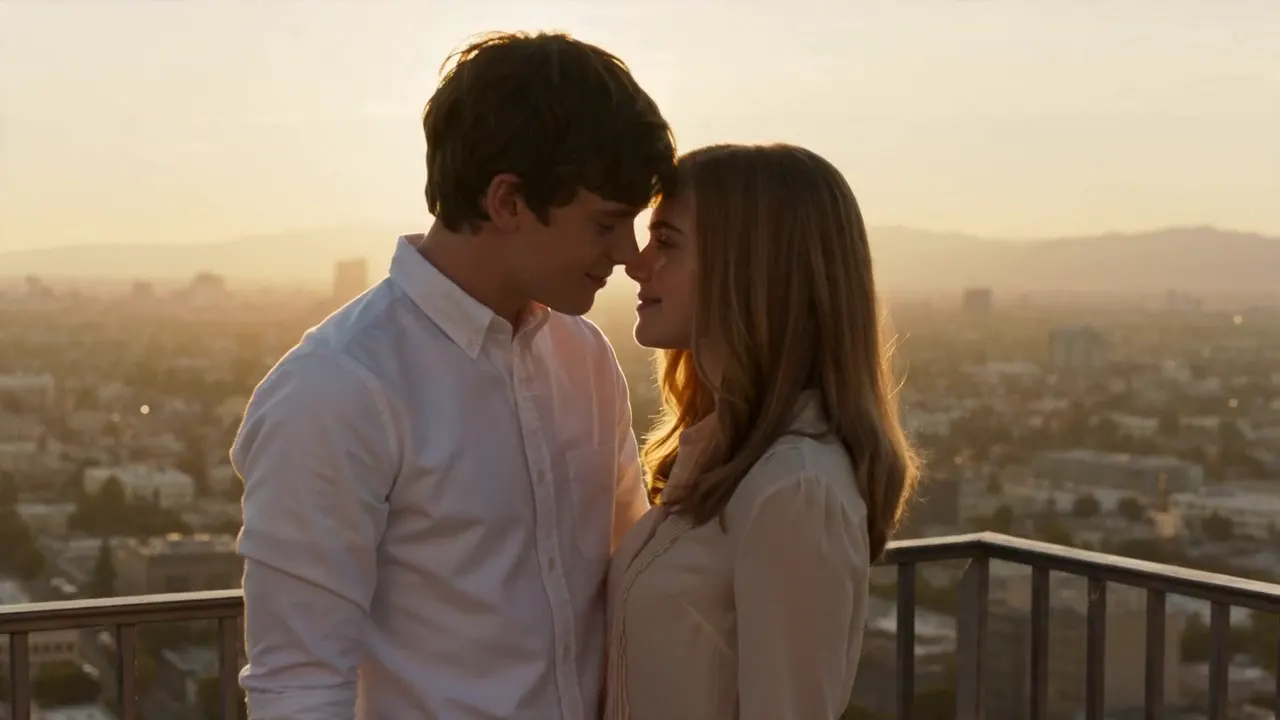
A rooftop kiss at sunset
View on TikTokThe wedding dance in the ballroom
View on TikTokThe park in spring
View on TikTokThe kiss me filter’s own output
@ophiphinee on TikTokThe cafe with string lights
View on TikTokAt home, leaning in
View on TikTokThe hug in the kitchen first
View on TikTokThe prom kiss
View on TikTokThe car park after the party
View on TikTokThe fountain at night
View on TikTokThe white steps and the bougainvillea
View on TikTokFireworks over the crowd
View on TikTokA field in flower
View on TikTokIn the stands
View on TikTokThe arcade at night
View on TikTokAn old couple, in autumn
View on TikTokA kiss on the temple
View on TikTokWhat Is an AI Kiss Video?
An AI kiss video is a short clip in which two people kiss who were never in the same room. You give the model one photo of each person, and it takes both faces through a kiss that was filmed or generated in advance. The photos supply the face, the hair and the clothes; the clip supplies the scene, the light, the camera and the sound.
Nothing about the two photos has to match — different phones, different years, one of you in a kitchen in Manila and the other on a train in Leeds — because everything that is not a face comes from the clip. Google asks for it about 5,500 times a day, under a dozen names: ai kiss generator, ai kiss video, ai kiss free, ai kiss effect, ai hug and kiss, and the two-photo phrasing the related searches keep returning, ai kissing video generator free 2 photos. On TikTok the same wish goes by the kiss me effect or the AI kiss me filter, which is a phone filter rather than a video model: same idea, one photo, five seconds, and usually you kissing yourself.
Two photos is the whole trick, and it is also where most AI kiss videos fall apart. The model has to know which face is which: on this page the prompt names them, Image 1 for the person on the left of the clip and Image 2 for the person on the right, and the tiles in the workbench are captioned the same way as you add them. When the two slots are filled with people who look alike, or with photos taken in wildly different light, the faces drift into each other mid-kiss and the result is nobody. The fix is not a better model, it is a better pair of photos: front-facing, eyes and mouth visible, no sunglasses, no fringe across the lashes, and light that at least resembles the clip. A photo taken in a dark bar does not become a bride under chandeliers because the prompt asks nicely.
Of the ways people use an AI kiss video, four keep coming back. The long-distance one is the biggest: two people who live apart — a deployment, a semester, a border, a night shift — wanting a picture of the reunion they are still waiting for. Then the celebrations: a wedding they have not had, an engagement, an anniversary, a birthday, a prom, the first Valentine’s in a new flat, a couple kissing in a venue before they have booked it. Then the fan edit, which is you and a celebrity, or you and a character, or two people from different shows, and which reads as a joke because it is one. And then the absurd ones: two dogs, a cat and its owner, grandparents who never had a photo like this taken. One page covers all four because the clip carries the scene and the photos only decide who is in it.
Most tools that come up when you search for an AI kiss are one of two things. The first is a still-image generator: two photos in, a picture of the pair kissing out, which is fine for a card and wrong for TikTok, because nothing moves and nothing happens. The second is a phone filter — the kiss me effect — which works from one photo, duplicates your own face, and hands you five seconds of you kissing yourself. Neither is what the search means. What it means is a short video, longer than a filter, with two different people in it, in a scene that carries the mood. That is the shape this page makes, and it is why every clip below is a real reference the model copies rather than a template with a photo pasted into a hole.
There are things an AI kiss video cannot do, and knowing them saves credits. It cannot invent a profile you never photographed: give it two people turned away from the lens and the model guesses the rest of the face, and the guess is what people call melted. It will not hold past fifteen seconds without the kiss starting to repeat. It does not reproduce a specific expression on request, and asking for an explicit one is what gets a render refused. And it cannot invent a dress, a ring or a venue from nothing — the clip carries those. What it does do, it does in five to fifteen seconds of finished video, which is why the workbench takes a kiss clip as the reference and your two photos as the only input.
How to Make Two Photos Kiss With AI
- 1
Pick the kiss you want them in
Seventeen clips, each a different kiss: a rooftop at sunset, a ballroom under chandeliers, a park in spring, a cafe with string lights, a home at dusk, a kitchen hug, a prom, a car park after a party, a street under pink neon, fireworks over a crowd, a stadium, an arcade. The clip decides the light, the clothing, the camera and the sound; your photos decide only who is in it. Start with the one whose setting could plausibly be yours — an AI kiss reads as real when the light on both faces matches the room.
- 2
Upload one photo of each person
Two tiles, two photos: Image 1 is the person on the left of the clip, Image 2 the one on the right. Front-facing, eyes and mouth clear, no sunglasses, nothing over the lips. A photo where the person is already smiling or mid-laugh works better than a passport stare, because the clip has to put that expression somewhere. If the only photo you have of the two of them together is one frame, crop each face out of it and upload the two crops as separate photos.
- 3
Say who is who, then generate
The prompt is already written: it names the clip as Video1 and your photos as Image 1 and Image 2, says which side each one takes, and tells the model to keep the lean-in, the hands, the room, the light and the sound. Change it only to swap the sides or to add something you care about — “she is taller”, “keep his beard”. One photo is allowed: the person you did not upload stays as they are in the clip.
- 4
Watch it, then download the MP4
The render takes a minute or two at 720p. What comes back is a clean MP4 with the clip’s own sound, ready for TikTok, Reels or Shorts. If the faces merge, the cause is almost always one of the two photos rather than the model: re-upload the front-facing one and render again. A render that fails is refunded.
Tips for a Better AI Kiss
Two photos, one light
The single biggest factor is not the clip or the model, it is whether the light on the two faces matches the scene. Two photos from the same evening, indoors, both shot under a window, will land in any warm clip. One from a beach at noon and one from a basement bar will not, and no prompt fixes it.
Front-facing beats beautiful
A plain, evenly lit selfie outperforms a gorgeous three-quarter portrait every time, because the model has a whole face to work with instead of half of one. If the only flattering photo of someone is turned away, use the plainer one: nobody watching the result is judging the photo, they are watching the kiss.
One face per slot
Two photos of the same person, or two people who look like siblings, is what turns an AI kiss into a smear. The model is happy to animate two similar faces into one — deliberately pick photos where hair, build or colour tell them apart, and say so in the prompt if it matters.
Hair, glasses and beards carry the identity
A fringe over the eyes, sunglasses, a hand at the cheek or a hood up all remove the features the model uses to keep a face consistent, and the kiss is where that shows. Take the sunglasses off for the photo; keep the beard, because that is usually a better anchor than a clean shave nobody has seen.
Match the clip to what you have
If both photos were taken in a bedroom, use the home clip rather than the ballroom: your faces keep their own light inside the scene, and a bright indoor photo in a chandelier-lit hall reads as two people pasted in. The kiss lands when the background could plausibly have been behind you.
When it does not land, change one thing
Re-render with the other photo, not with a longer prompt. If the faces still melt, switch to a clip with a slower camera — the rooftop and the cafe have almost no movement, which gives the model the least to get wrong — and if the kiss itself looks wrong, take a clip where the two people start further apart.
Pricing
Each AI kiss video is one use (700 credits), whether you pick any length from 5 to 9 seconds. The price is on the button before you start, and nothing else is added.
A single use is $9.90; packs of 4 and 8 uses, or a monthly plan that posts trend videos to your accounts for you, cost less per video. A render that fails is refunded automatically.
Autopilot plans
Every month we turn the newest trends into meme videos and post them to your accounts. Each post is one of the plan’s videos, and any you make yourself come out of the same count. Cancel any time.
One-time video packs
Pay once and use them on any trend template, at any length. The credits never expire, and the other video tools can spend them too.
Use it responsibly
- Only upload photos of yourself, of people who said yes, or of your own pets.
- Do not use it to make someone look like they did something they did not.
- Label the result as AI when you post it; TikTok and Instagram both have an AI-generated tag.
- An AI kiss is more intimate than a dance: never make one of somebody who has not agreed to it, and never post one of a real couple as though it were the real footage.
Frequently Asked Questions
What is an AI kiss video?
A short clip in which two people kiss who were never in the same room. You upload one photo of each person, the model keeps their faces, hair and clothes, and moves them through a kiss filmed or generated in advance — 5 to 15 seconds, with the scene and the sound of the clip you chose.
How do I make two pictures kiss with AI?
Pick a kiss clip, upload one photo of each person into the two slots, name them Image 1 and Image 2 if the prompt does not already, and generate. That is the whole workflow: the clip brings the scene, the camera and the sound, and the two photos bring the two faces. Five to fifteen seconds of video comes back as a clean MP4, as long as the clip you picked.
Do I need two photos, or will one work?
Two is what the effect is for, and one is allowed: the person you upload replaces one half of the couple and the other half stays as they are in the clip. If the only photo you have is one frame of the two of them together, crop each face out of it and upload the two crops as separate photos.
Is an AI kiss generator free?
One video is one use, 700 credits, at any length from 5 to 9 seconds. A single use is $9.90, and packs of 4 and 8 cost less per video. Failed renders are refunded. There is no free tier with a watermark and no sign-up wall in front of the render: you need an account, and the price is on the button before you start.
What is the AI kiss me effect?
It is the TikTok name for the filter, not for a video model: one selfie in, five seconds of you kissing a copy of yourself out. It is free, it is fast, and it cannot put a second person in the frame. The kiss me effect is what made the search explode; this page is the version where the two people are two people.
Can I make a kiss that never happened, like a wedding we have not had?
Yes, and that is the most common reason people use it: a couple in a ballroom, a garden ceremony, an anniversary card, a proposal scene, a prom they skipped. The venue, the dress and the light come from the clip, so pick the one that looks like the day you are describing and let the photos do the rest.
Can I kiss my celebrity crush with AI?
People do, and the samples on the big tools are full of it, but keep it a joke and label it. A public figure has not agreed to appear in your kiss, and a video that could be mistaken for real footage of them is a different thing from a clearly-AI gag. Do not use it to imply something about a real person’s private life.
Can it do a French kiss, or a longer kiss?
It renders a convincing closed-mouth kiss from any of the clips here, and a deeper one reads as a longer hold and a tilt of the head — that is what the “slow close-up” version is for. Explicit requests are refused, and so is anything that looks like it. Length is 5 to 15 seconds, the length of the clip you picked.
Why do the faces look wrong in my AI kiss?
Almost always the photos, not the model. Two people who look alike, sunglasses, a fringe, a hand across a cheek, or two photos lit completely differently will all collapse into one face at the moment of the kiss. Re-upload front-facing photos taken in similar light, and if that does not fix it, choose a clip whose camera moves less.
Can I use photos of my pets?
Yes — two dogs, a cat and a dog, a pet and its owner. The pet version works because the model keeps fur, markings and eye colour from the photo and the clip supplies the movement. Head and chest in the frame, both eyes visible, and say in the prompt that they stay animal-shaped.
What photos work best?
The photos are the whole AI kiss: sharp, front-facing, eyes and mouth clear, one person per photo, and light that resembles the clip. A phone selfie in daylight beats a studio portrait with the head turned, and a photo where the person is smiling already gives the kiss somewhere to go.
Does the video keep the sound of the clip?
Yes. A remix keeps the reference clip’s own audio — the room, the music, whatever is on it — and the model renders the kiss to it, which is why the moment lands on the beat. Nothing extra is dubbed over your video, and nothing is muted.
Where can I post an AI kiss video?
TikTok, Reels, Shorts and Status, as a clean MP4 with no watermark. TikTok and Instagram both have an AI-generated label — use it, especially if a real person other than you is in the video. Keep the original sound on if you want the clip’s timing to make sense.
What is the AI Kiss prompt?
The you and your partner prompt is in the AI Prompts section below. It starts: "Two photos become one kiss." Paste the rest into any AI video tool that accepts your photos.
Two Photos. One Kiss.
Upload a photo of each of you, pick the kiss, and the clip does the rest. Fifteen seconds later it is a video on your phone.
Make our AI kissMore Trends to Remix
Boyfriend Makeup Prank Filter
Raindance AI
Chinaza Dynamic Filter
Yes Yes I Love You
Imael Angel Bad Times
WYW My Sweetie Dance
Housewife Dance
Hotel Lobby AI
AI Kiss Prompts
The prompts behind the six versions: you and your partner, the long-distance reunion, a wedding you have not had, you and a celebrity crush, two pets, and a slow close-up. The first is the one the workbench starts with. The others work in any video model that takes a reference clip and two photos, and the same wording adapts to a still — for an AI kiss photo rather than a video, drop the camera and timing lines and ask for one frame, and the two-photo rule still applies.
You and your partner
Two photos become one kiss. Image 1 is the person on the left, Image 2 the person on the right. They stand close, one hand comes up to the other’s jaw, both close their eyes as their lips meet, then one pulls back half a smile and leans in again. Keep each face, hair, skin tone, build and outfit exactly as in its photo, and keep the room, the light, the framing and the pace of the reference clip. Photoreal, no text, no captions, no logos.
Other versions: The long-distance reunion · The wedding day · You and your celebrity crush · Your dog and your cat · The slow close-up kiss