
Photo to Talking: Your Photo Takes the Interview
A photo to talking video is a still picture that then speaks: the head turns, the mouth moves on the words, the hands come up, and the voice is the voice of the clip you borrowed. The format this page is built around is the interview — a mic in front of your photo, a question, an answer. Pick a clip below, upload a photo of yourself, your dog, your cat or your favourite player, and the face in the picture takes the questions.
- 15 clips to remix
- One photo
- Dogs, cats, players
- Keeps the sound
- No watermark
Sexually explicit (NSFW) content is strictly prohibited.
Pick a sample
Rendering takes about 7 min. Finished clips land in History.
Photo to Talking Examples
Fifteen photo to talking clips, most watched first: the dogs who get interviewed in the park, the five cats lined up on the couch, the NBA remake of “oh you can make it cap”, the cat in the study, the press conferences, a chihuahua at a job interview. Pick one, add a photo, and the face in your picture is the one answering.
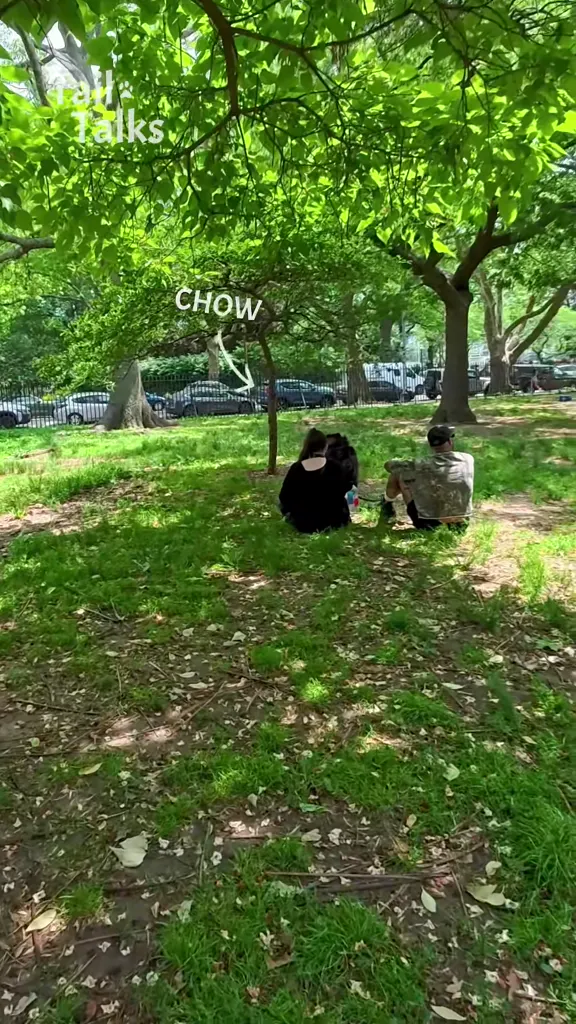
The chow chow in the park
@tailtalksinterviews on TikTokFive cats on the couch
@heyitsgingerandpepper on TikTok“Oh you can make it cap”
@lisa32973 on TikTokThe cat in the study
@milatv4 on TikTokThe white room remake
@mia.belle699 on TikTokLeBron on Jordan, at the press table
@deepfakedialogues on TikTokThe hockey post-game
@hotdogsquadai on TikTokRonaldo after the free kick
@www.aiclips on TikTokThe black cat and the tiny mic
@kimchi_katze on TikTokThe lion at the job interview
@meowundercover_ai on TikTokThe field interview
@beautiful.memes7 on TikTokThe puppy with the mic
@wagbuddyapp on TikTokPancake, on the street
@tailtalksinterviews on TikTokThe chihuahua at the job interview
@aiinuepi on TikTokOhtani at the podium
@bureauofai on TikTokWhat Is Photo to Talking?
Photo to talking is one picture in, one talking clip out. The photo supplies the face, the hair and the clothes; the clip supplies the scene, the camera, the timing and the voice. What comes back is not a still with a voice track laid over it: the head turns, the mouth shapes the words, the shoulders and hands follow the sentence. That is the whole of it, and it is the reason photo to talking works with almost anything that has a face — a selfie, a photo of your dog on the sofa, a scan of a painting, a picture of a player lifted off a news page.
Of the many ways people use photo to talking, the interview is the one that keeps winning. On TikTok the strongest clips are pets being interviewed: 24K Mic Talk’s dog series has one post at 5.2M plays, a doggy daycare’s puppy interviews did 11.6M, five cats lined up on a couch did 2.3M, and a chihuahua sitting across a desk from its résumé did 112K. Then come the fake press conferences: the “oh you can make it cap” 20vs1 remake, which put a photo of an NBA player on a white background and got 1.8M plays and 283.8K likes in three days, and the LeBron, Ronaldo, Ohtani and hockey versions at 100K to 650K each. The reason photo to talking keeps landing on the interview is structural: a talking photo needs somebody to talk to. A mic, a question off camera and a reaction is the entire format, and it lets one photo carry fifteen seconds on its own.
Most photo to talking tools solve a different problem. D-ID, HeyGen, Vozo, Pippit and Magic Hour all take a portrait plus a script or an audio file and return a lip-synced talking head — the avatar you see in explainers, support clips and localisation. That is a good tool for a company video and a bad one for a joke, because nothing about it is funny until somebody has written the joke. This page keeps the performance instead: the clip already has the question, the answer, the laugh and the hand movement, and your photo replaces the person answering. If the line should be yours, upload it as the audio and the photo says that instead — the one place where photo to talking does what an avatar tool does.
How to Make a Photo Talk
- 1
Pick the interview your photo sits in
A dog on a leash in the park, five cats on a couch, a player at a press table, a chihuahua with a résumé. The clip brings the mic, the question, the voice and the background; your photo brings the face. Every photo to talking clip below is the reference the model reads, sound included.
- 2
Upload the photo
One clear photo, front-facing, eyes and mouth visible, no sunglasses and nothing covering the mouth. A pet photo works the same way, head and chest in frame. A photo to talking render is only as good as that photo. If the clip has two people in it, add a second photo so each one is replaced separately.
- 3
Say who goes where, and render
The prompt is already written: it names the clip as @Video1 and your photo as @Image1 and tells the model to keep the answers, the mic, the scene and the sound. Pick 10 or 15 seconds, generate, and download the photo to talking video as a clean MP4, ready for TikTok, Reels or Shorts.
Tips for a Better Photo to Talking Clip
The mouth decides everything
A photo to talking clip lives or dies on the mouth. Front-facing, evenly lit, lips closed but visible, no hand, mic, cup or hair across them. A beautiful three-quarter profile turns into a mumble, because the model has half a mouth to work with, and that is true of every photo to talking clip on this page.
One face per person in the clip
If the clip shows an interviewer and an interviewee, the model needs to know which one your photo replaces: the prompt already does that, and a second photo replaces the other. Two photos of two different-looking people in one slot is what produces the melted faces people blame photo to talking for.
Match the clip to where the photo was taken
Your photo keeps its own light and background inside the clip’s scene, so a photo shot in a bright kitchen sits badly in a dim press room. Pick the interview whose setting is closest to your photo — the studio couch for a living room photo, the press table for anything with a plain wall behind it. Then the photo to talking result reads as one shot instead of two.
Pets: head and chest, ears up
The photo to talking pet clips work when the animal’s head is large in the frame, roughly where the dog or cat in the clip is. A photo of a dog from across a field gives the model a tiny head to animate and a mouth you cannot see, and the clip reads as a still with a voice over it.
Start where the question lands
The reference clip is capped at fifteen seconds, so a clip that spends four of them on a title card leaves you eleven seconds of answer. Trim to the question, keep the reaction, and let the answer run; that is the part people watch twice in any photo to talking clip.
Bring your own line if you have one
A voice note recorded on a phone is enough. Upload it as the audio reference and the prompt for “anyone, saying your line” does the rest: the photo mouths your words, and the clip keeps its own camera and scene. It is the one path where photo to talking does what the avatar tools do, except the face comes from a picture you already had.
Pricing
Each photo to talking video is one use (700 credits), whether you pick any length from 10 to 15 seconds. The price is on the button before you start, and nothing else is added.
A single use is $9.90; packs of 4 and 8 uses, or a monthly plan that posts trend videos to your accounts for you, cost less per video. A render that fails is refunded automatically.
Autopilot plans
Every month we turn the newest trends into meme videos and post them to your accounts. Each post is one of the plan’s videos, and any you make yourself come out of the same count. Cancel any time.
One-time video packs
Pay once and use them on any trend template, at any length. The credits never expire, and the other video tools can spend them too.
Use it responsibly
- Only upload photos of yourself, of people who said yes, or of your own pets.
- Do not use it to make someone look like they did something they did not.
- Label the result as AI when you post it; TikTok and Instagram both have an AI-generated tag.
Frequently Asked Questions
What is photo to talking?
It is a still photo turned into a short video where the person or animal in the picture talks: mouth on the words, head turning, hands moving, voice from a clip you pick. Here the clip is an interview, so your photo sits in the chair and answers the question the mic is asking.
How do I make a photo talk?
Pick one of the clips above, upload a photo of the face you want in it, and generate. The photo supplies who it is; the clip supplies the scene, the question, the voice and the timing. Ten or fifteen seconds later you have a photo to talking video with the sound on it and no watermark. That is the whole workflow: one clip, one photo, one render.
Is photo to talking free?
One video is one use, 700 credits, at any length from 10 to 15 seconds. A single use is $9.90, and packs of 4 and 8 cost less per video. Failed renders are refunded. A render that fails is refunded, and the price is on the button before you start.
Which photo to talking app should I use?
The apps people mean — D-ID, HeyGen, Vozo, Pippit, Magic Hour, CapCut’s AI Dialogue — take a portrait plus a typed script or an audio file and return a lip-synced talking head, which suits explainers and localisation. This page is the other shape: a viral clip is the script, and the job is putting your face in it.
Can the photo say my own words?
Yes. Upload a voice note as the audio reference and use the “Anyone, saying your line” prompt: the photo mouths your recording while the clip keeps its camera, scene and framing. The other way around works too — pick a clip whose line you want, and let your photo say that instead.
Does it work with a photo of my dog or cat?
Yes, and the photo to talking pet clips are the best place to start. A dog photo goes into the park interview, the puppy-with-the-mic clip or the Samoyed one; a cat photo goes into the couch, the rug or the job-interview clip. Head and chest in frame, ears visible, mouth not hidden by fur or a toy: the model needs somewhere to put the answer.
Do I need to upload a video as well as a photo?
No. The clip you pick is the video, and it already carries the performance. You only add a second video if you want your own footage to set the scene, and you only add audio if you want your own line instead of the clip’s.
Is this the same as a talking avatar?
Not quite. A talking avatar is a portrait with lips driven by audio: the head barely moves and the body never does, because there is nothing else in the frame. Photo to talking keeps a clip, so you get the shrug, the hand on the mic and the look off camera, and the photo is fitted into it.
How long can the clip be?
Ten or fifteen seconds, and fifteen is the ceiling the reference clip is held to. That is longer than it sounds: the 20vs1 remake is twelve seconds, most pet interviews are ten to fifteen, and the answer is usually the only part anyone rewatches. Cut the title cards and the silence at the end and fifteen seconds is plenty.
Can I put a photo of a celebrity or an athlete in it?
The clips on this page do exactly that: they put photos of players at press tables and let them answer questions they never answered. It is a joke format and it travels, but keep it a joke — do not use it to make a real person appear to say something they did not say, and label the result as AI when you post it. Every platform now has an AI-generated tag; use it.
Why is there almost nothing under #photototalk?
Because the hashtag is not where the format lives. #photototalk has four posts and under a thousand plays between them, while the same trick runs under dog interview tags, press conference edits and the audio names of whatever clip is going around. “Photo to talking” is a Google term, not a TikTok one.
What photos work best?
The short photo to talking checklist: sharp, front-facing, eyes and mouth clear, one person or one animal in the frame, and light that matches the clip. A phone selfie in daylight beats a studio portrait with the head turned, and a photo where the mouth is visible beats one where a hand, a cup or a microphone is in front of it.
What is the Photo to Talking AI prompt?
The you in the chair prompt is in the AI Prompts section below. It starts: "Image 1 is the face from the photo; Image 2, if given, is the second person in a two-person clip." Paste the rest into any AI video tool that accepts your photos.
Put Your Photo in the Chair
One photo, one question, one answer. Upload the face, pick the interview, and the picture does the talking for you.
Make my photo talkMore Trends to Remix
Twilight Baseball Scene AI
ABCDEFG I Need Money
Victoria Secret AI
Hit the Road Dude
Shaking Head Trend
Ali G Driving Scene AI
Tung Tung Tung Sahur Dance
Whiny Dog AI
Photo to Talking Prompts
The prompts behind the five versions: you in the chair, your dog, your cat, your player at the press table, and anyone saying a line you bring as audio. Each one keeps the clip and swaps the face, so you can change the scene or the reaction and keep the rest. They work in any video model that takes a reference clip and a photo.
You in the chair
Image 1 is the face from the photo; Image 2, if given, is the second person in a two-person clip. A still photo of one person becomes a talking interview clip: the person answers an off-camera question, nodding, blinking, smiling on the answer, one hand coming up to explain something. Keep the face, hair, skin tone, build and outfit of the photo exactly, keep the scene, the camera, the mic, the timing and the sound of the clip exactly, and keep the mouth moving on the words as if the person in the photo were saying them. Photorealistic, the clip’s own framing and light, no text, no captions, no logos. Audio: the clip’s original voice, the question and the answer, unchanged.
Other versions: Your dog, interviewed · Your cat, on the couch · Your player, post-match · Anyone, saying your line