
One Photo Cinematic Reveal: The Clip Your Photo Was Always Meant to Be In
The one photo cinematic reveal without the CapCut template. Pick one of the clips below — a pull-back on the rocks at sunset, a push through a wet street at night, a drift through a battlefield, the tile mosaic that named the effect — then add one photo. The model puts your face inside that clip and keeps everything else exactly where it is: the camera move, the hard side light, the grade and the clip’s own sound. What comes back is a video, ten seconds or so, ready to post.
- 8 clips to remix
- One photo
- Its camera move kept
- The film-still grade
- Original sound
Sexually explicit (NSFW) content is strictly prohibited.
Pick a sample
Rendering takes about 7 min. Finished clips land in History.
TL;DR
Past its peak · as ofThe one photo cinematic reveal is the TikTok edit that takes a single photo and makes it arrive like a shot from a film — the frame coming up out of the dark and the camera moving on it — over the trend’s own sound. It comes from a CapCut one-photo template (“One pic Edi”, 24 March 2024) that has now been used 2.34 million times and still adds about 2,400 a day; the name itself arrived with a wave of template posts on 29-31 October 2026. The tag they used, #onedphototrend, holds only 30 videos and 6.3K views, so the trend is the template, not the tag.
- Original post
- The earliest big post of the format, 19 March 2024 — one picture, a black frame, the photo fading up in a hard dark grade, 11.1M plays · @capcutproduct
- Sound
- original sound — the “One Photo Trend” template post — open it in TikTok and tap “Use this sound”.
- Also called
- one photo trend, one photo cinematic, cinematic photo reveal, photo cinematic reveal, one photo cinematic reveal trend, one photo cinematic reveal capcut, one photo cinematic reveal template, one photo cinematic reveal tutorial, one photo ai trend, one pic edit, 1 photo trend, one photo edit, one photo edit capcut template, one picture trend, photo animation, photo animation capcut, photo animation template, cinematic photo edit, cinematic photo, dark cinematic photo, one photo reveal, single photo reveal, #onedphototrend, #onephototrend, #1phototrend, #onephoto, #photoanimation
- Last updated
One Photo Cinematic Reveal Examples
Ten posts of the effect, and each one is a single photograph brought to life: a fade up out of the dark, embers drifting through a slow push-in, bokeh opening over the face, a camera pulling back until the sea is in frame, rain running down the glass, a tile mosaic snapping into place. The eight marked as remixable are the ones you can put your own photo into — click one to hear it.
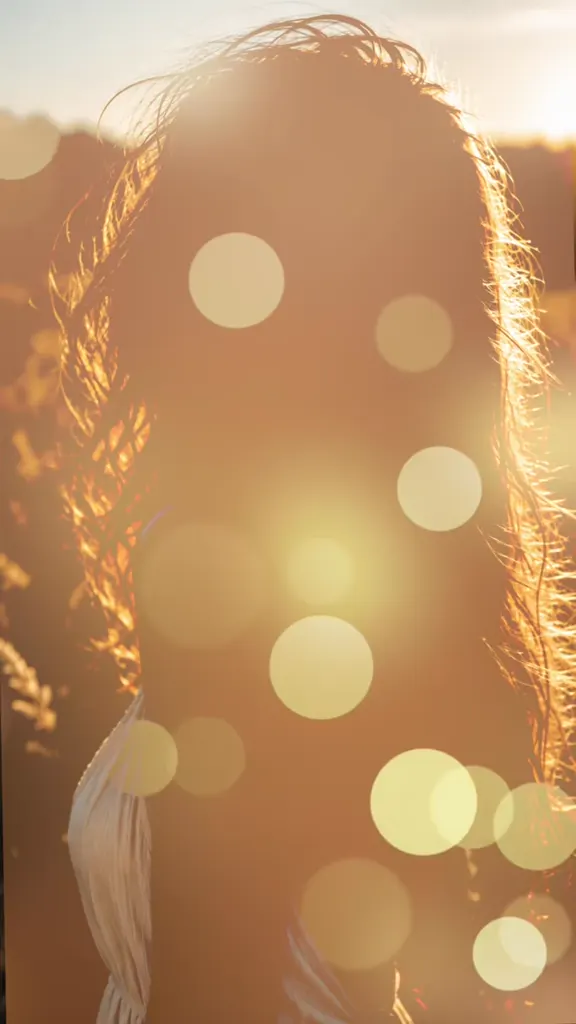
Out of the bokeh
@coracling on TikTokA dark reveal and some attitude
@goldenhilla on TikTokThe tile mosaic
@comeonangandjanet on TikTokThe 2024 post that set the look
@capcutproduct on TikTokEmbers in the light
@april_walker5 on TikTokThe pull-back reveal
@stellabatzy on TikTokRain on the glass
@hugsy.world on TikTokThe scene the photo is dropped into
@evviephelp8 on TikTokOne photo, every angle
@stellabatzy on TikTokThe fashion-film version
@aadiknwr_ on TikTokWhat Is a One Photo Cinematic Reveal?
A one photo cinematic reveal is a single photo graded and moved like a shot from a film: the frame starts black, the picture comes up out of it — tiles snapping into place, a light streak, a slow fade, bokeh opening over the face — and then the camera pushes in until the face fills the frame, or pulls back until the whole scene does.
The grade does the rest: one hard light from the side, the other half of the face in shadow, the background out of focus, warm highlights against cool shadows, grain, a soft flare. Ten or fifteen seconds, vertical, the trend’s sound underneath.
The point is not that the photo moves. It is that the photo stops looking like a photo. A phone snap has flat, even light and everything in focus, which is exactly what a film still never has; the reveal spends its few seconds taking the picture apart and putting it back as a frame somebody lit. That is why the trend works on any subject — a selfie, a picture of your partner, a photo of the dog, the one good picture from a night out — and why the templates behind it have been used millions of times without anyone getting bored of the effect.
It comes from a CapCut template rather than from a clip or a sound. “One pic Edi”, published on 24 March 2024, is the one that carries the whole thing: 2.34 million uses, about 2,455 a day, 34,791 likes. Put one photo in it and it hands back the version with the tiles, the colour bloom, the sparkles and the blue flame at the end. A year of one-photo templates followed — dark grades, lyrics versions, the 2026 printer and film-date looks — and the current name turned up in October 2026, when a dozen template accounts posted the same caption, “One Photo, Cinematic Reveal, AI Mood From a Single Pic”, within three days.
That is also why the tag is not the place to measure it. #onedphototrend was created on 21 September 2026 and holds 30 videos and 6,324 views in total — smaller than a single mid-size post. The trend lives in the template: two thousand-odd people a day open it, drop a photo in and post the result without ever touching the hashtag.
It goes by a lot of names, and the ones in this paragraph are all the same effect: one photo cinematic reveal, one photo trend, one pic edit, 1 photo trend, dark cinematic photo, photo animation, and the cinematic photo edit on TikTok. What it is not: the one photo every hour trend (a photo an hour, stitched together), the one finger photo trend, and the “1 photo trend but you can’t choose” version, where the template picks between three pictures. Those are their own formats with their own templates, and this page does not make them.
On this page the effect is a video, and the video is the point. You pick one of the clips below — the one whose camera move you want to be inside — add one photo, and the model puts your face into that clip instead of the face that was there: the same push-in or pull-back, the same hard side light, the same grade, the same sound, ten seconds or so. That is the difference from the templates, which pin one photo into one fixed animation on your phone. Here the clip is the reference, so you choose it, and nothing comes back watermarked.
Timeline
The format lands: @capcutproduct posts “1 picture dark color template” — one photo fading up out of a black frame — and it does 11.1M plays.
The CapCut template “One pic Edi” is published. It is still the engine of the whole effect: 2,337,944 uses by 1 November 2026, about 2,455 a day.
A second one-photo template, “1 Photo Trend”, goes up on CapCut, and the #1phototrend / #onephototrend tags start collecting the outputs.
A CapCut template is published under the exact name “One-Photo Cinematic Reveal” (14 seconds, 3:4) — the phrase this page is named after becomes a thing people can search for.
The hashtag #onedphototrend is created. It never takes off: by 1 November it holds 30 videos and 6,324 views in total.
The caption wave: a dozen template accounts post the same line, “One Photo, Cinematic Reveal, AI Mood From a Single Pic”, within three days — every one of them under 400 plays.
How to Make a One Photo Cinematic Reveal
- 1
Pick the clip whose camera move you want
Eight of the ten below are remixable. They are different videos rather than one template: the pull-back opens tight on the face and ends on the sea; the night-street one pushes in slowly with the lamp behind; the tile one assembles the frame out of black and ends in a blue flame; the battle one drifts through a whole scene. Pick on the move and the light, not on the person in it — that person is the part your photo replaces.
- 2
Upload one photo of the face that goes in
Chest up or closer, the face clear and lit, looking at or near the camera, no sunglasses and no mask. The clip decides the place and the light; your photo decides the face, the hair and the clothes, so send the one you want to be seen in. Two people need a clip that already has two, and one photo each; a pet works if you send the animal.
- 3
Generate, then post it with the sound
You get the clip back with your face in it — the same camera move, the same grade, the same sound — around ten seconds, vertical. Every sample here is under fifteen seconds, which is the length the trend runs at. Post it with #onedphototrend if you want the tag, and keep the AI label on.
Tips for a Better One Photo Cinematic Reveal
The clip brings the light, you bring the face
Unlike an edit of your own photo, the light and the grade come from the clip you pick, not from the picture you send. That is why a flat, front-lit selfie works here where it would have looked flat before: the clip relights it. It also means the only thing your photo has to get right is the face — clear, lit, no sunglasses, no hair across the eyes.
Pick the move before the scene
The pull-back and the push-in are different videos with different captions. A push-in is a reveal: the frame closes on the face and the sound lands with it. A pull-back is a scene arriving: it starts on the face and ends on the sea, the room or the skyline. Decide which one you are posting, then pick the clip.
Chest up beats full body
The swap happens at the face, and a clip that ends on a close-up cannot hold an outfit you were proud of from a full-body photo. Send head and shoulders, and let the clip supply the rest of the frame.
One person per clip, or match the number
The model keeps the number of people the clip already has. Swap into a single-person clip with a single photo; for a two-person clip send two photos and say who stands where, in the same left-to-right order as the clip. Four faces is the practical limit before they merge in a frame this close.
The pet version needs the whole animal
A dog or a cat dropped into a clip that pushes in on a face is the funniest version of this trend, and it needs the whole animal with its markings visible. A tight headshot of a black cat becomes a dark shape once the grade lands.
The montages are for watching, not remixing
Two of the samples are montages — one photo cut into a dozen framings, and a fashion film made from a single portrait. They are the trend at its most ambitious, but a montage is several shots rather than one move, so they are on the page as references. Pick a single-move clip for your own.
Do not re-grade it afterwards
The clip already arrives graded: hard light, black shadows, warm highlights against cool ones. Running it through another filter on the way to TikTok flattens exactly the contrast the effect is built on. Post it as it comes out and let the sound do the rest.
It is not a headshot or an ID photo
Half of the face is in shadow and the background is falling away, so this is not the picture for LinkedIn, a passport or a staff badge. It is the frame you want people to see: the profile picture, the one that goes on the story, the clip you send to the group chat.
Pricing
Each cinematic reveal video is one use (700 credits), whether you pick any length from 5 to 15 seconds. The price is on the button before you start, and nothing else is added.
A single use is $9.90; packs of 4 and 8 uses, or a monthly plan that posts trend videos to your accounts for you, cost less per video. A render that fails is refunded automatically.
Autopilot plans
Every month we turn the newest trends into meme videos and post them to your accounts. Each post is one of the plan’s videos, and any you make yourself come out of the same count. Cancel any time.
One-time video packs
Pay once and use them on any trend template, at any length. The credits never expire, and the other video tools can spend them too.
Use it responsibly
- Only upload photos of yourself, of people who said yes, or of your own pets.
- Do not use it to make someone look like they did something they did not.
- Label the result as AI when you post it; TikTok and Instagram both have an AI-generated tag.
- The person in the clip is the person in the photo: this puts your face into a clip you chose, it does not invent a different face to put there.
- A photo of a child is a photo of a child: make one only with their parent’s permission.
Frequently Asked Questions
What is a one photo cinematic reveal?
A TikTok edit that takes one photograph and makes it arrive like a shot from a film: the frame comes up out of the dark and the camera moves on it — a push-in until the face fills the frame, or a pull-back until the whole scene does — in a hard grade with one side light and black shadows. It runs ten to fifteen seconds over the trend’s sound, and it is the effect behind the CapCut one-photo templates.
Is the one photo cinematic reveal a CapCut template?
On TikTok, yes — it comes from a one-photo template, and the one that carries it is “One pic Edi”, published on 24 March 2024 and used 2,337,944 times, about 2,455 a day. CapCut also has a template published on 16 July 2026 under the exact name “One-Photo Cinematic Reveal”. This page does the same effect without CapCut: pick one of the clips, upload a photo, and the video comes back with your face in it, no watermark.
Does it make a video or a picture?
A video — that is the whole effect. The little that happens in these posts is the camera: the picture arriving out of black, the push-in, the pull-back, the embers drifting through the light. A still frame with a zoom on it is not the trend, so this page takes one of the trend’s own clips as the reference and returns that clip with your face in it, sound included, around ten seconds, vertical.
What is the one photo trend?
“One photo trend” is the umbrella name for a family of one-photo edits: this cinematic reveal, the dark-grade versions, the lyrics versions, the “1 photo trend but you can’t choose” one, and TikTok’s own One Clip feature. This page is the cinematic reveal branch — the one photo arriving like a film shot — not the others.
What song is in the one photo cinematic reveal?
There is no single sound: the template outputs each keep whatever audio their post used — “BIRDS OF A FEATHER” on the October 2026 posts, an original sound on most of the 2024 ones, and a different track on nearly every template account’s version. Each clip on this page keeps its own audio, so whichever one you pick, your video arrives with that clip’s sound underneath and you never line it up.
What is #onedphototrend, and why is it so small?
It is the tag the October 2026 template posts used — the ones captioned “One Photo, Cinematic Reveal, AI Mood From a Single Pic”. It was created on 21 September 2026 and holds 30 videos and 6,324 views in total. The trend is not there: it is in the template, which two thousand-plus people a day still open and post from without tagging anything.
Why do the people in the samples look nothing like me?
Because the person is the part that gets replaced. Every clip on this page is a reference: the camera move, the light, the grade and the sound come from it, and the face inside it is swapped for the face in your photo. That is also why you pick on the move rather than on the person — the pull-back and the night-street push-in are different videos with different captions.
Is one photo cinematic reveal the same as photo animation?
No. “Photo animation” covers turning a picture into a cartoon or anime, making an old photo talk, or animating a drawing; this is the opposite direction — a real photo, graded darker and more filmic, inside a real camera move. People search both for the same reason (they want one picture to stop being static), which is why both are on this page, but the look here is a film still that moves rather than an animation.
Can I make one with two people, or with my pet?
Both. Two people need a clip that already has two people in it, plus one photo each, with the box saying who is who and who stands on the left. A pet takes the person’s place in a single-person clip — a dog in the pull-back, a cat in the night street — and the grade does the rest. The couple and pet versions are the two that travel furthest outside the selfie audience.
What photo works best?
One photo, chest up or closer, the face clear and lit, looking at or near the camera, no sunglasses, no hair across the eyes. The clip supplies the light and the background, so the photo only has to carry the face, the hair and the clothes. A photo where the face is turned away comes back as a stranger in a clip.
Is the one photo every hour trend the same thing?
No, and it is the one people confuse this with most. The one photo every hour trend is a photo an hour stitched into a timeline; the one finger photo trend and the “1 photo trend but you can’t choose” version are their own templates too. This page is only the cinematic reveal: one picture, a clip with a camera move, and your face inside it.
What else is a one photo cinematic reveal called?
One photo cinematic reveal, one photo cinematic, cinematic photo reveal, one photo trend, one pic edit, 1 photo trend, dark cinematic photo, one photo reveal and cinematic photo edit are all this effect, and the tags are #onedphototrend, #onephototrend, #1phototrend and #photoanimation. Search any of them and it is the same trick: one photo, a hard grade and a camera arriving on it.
Do I need CapCut?
No. The template needs CapCut, one photo and a phone, and it pins your photo into one fixed animation. Here you pick which of the trend’s clips you want to be in, upload a photo, and the video model puts your face inside that clip with its camera move and its sound. No template, no app, no watermark.
How long is the video, and what size is it?
As long as the clip you pick — five to fifteen seconds — vertical 9:16 at 720p or more, with the clip’s own sound underneath. That is the length and shape the posts in the trend run at, and it is ready for TikTok, Reels or Shorts as it comes out.
What is the One Photo Cinematic Reveal AI prompt?
The you, in the clip prompt is in the AI Prompts section below. It starts: "Replace the person in @Video1 with the person in @Image1: the same place in the frame, the same number of people, the same pose, the same expression, the same turn of the head." Paste the rest into any AI video tool that accepts your photos.
One Photo, One Clip of Film
Pick the clip whose camera move you want to be inside, upload one photo, and the one photo cinematic reveal puts your face in it — the push-in or the pull-back, the hard side light, the grade and the clip’s own sound all kept.
Put my photo in a clipMore Trends to Remix
Rugrats Cartoon Trend
Billy The Puppet Costume
I Want Wings Glow Up
Charlie Brown Christmas Filter
AI Hair Dye Filter
Photogenic Filter Effect
Then I Walk In
Angel Of My Dreams
One Photo Cinematic Reveal Prompt
The prompt this page runs, so you can make the same video in any model that takes a reference clip and a photo. It calls the clip @Video1 and your photo @Image1, and it does two things: holds the clip’s move exactly where it is — the camera, the light, the grade, the timing, the sound — and puts your face on the person inside it, recognisable from the first frame to the last. The other versions on this page are the same prompt with a note on how many people are in the photo, or that the photo is a pet.
You, in the clip
Replace the person in @Video1 with the person in @Image1: the same place in the frame, the same number of people, the same pose, the same expression, the same turn of the head. The face from @Image1 stays recognisable — the same face shape, eyes, eyebrows, nose, mouth, skin tone, hair colour and length, and the same clothes with their colours and patterns, the same glasses, beard or earrings. Keep the camera, the framing, the background, the light, the grade, the timing, the length and the original sound of @Video1 exactly as they are. Wherever the camera pushes in, pulls back or drifts, it does the same thing here, at the same speed; wherever the frame is dark with one hard light on the face, it stays that dark; the sound lands where it already lands. The face is the same person from the first frame to the last, with no morphing, no second face, no extra people and nobody dropped. No text, no caption, no subtitle, no app interface, no logo and no watermark.
Other versions: The two of you, in the clip · Your pet, in the clip