
Photogenic Filter Effect: Your Photo Shoot in Freeze Frames
The photogenic filter effect, without the template. Pick one of the clips below, add a photo of yourself, and the AI puts you through the same move: you pose in slow motion, the shutter clicks with a white flash, and the frame locks into a black-and-white still like a printed photo — then the colour comes back and the next pose starts. It keeps the clip’s timing, its flash and its own sound, so what comes back is that clip with your face in it.
- 12 clips to remix
- One photo
- The flash and the freeze
- Black-and-white stills
- Original sound
Sexually explicit (NSFW) content is strictly prohibited.
Pick a sample
Rendering takes about 7 min. Finished clips land in History.
TL;DR
Past its peak · as ofThe photogenic filter is the TikTok edit that turns a clip into a photo shoot: you pose in slow motion, a shutter clicks with a white flash, and the frame freezes as a black-and-white still before the colour comes back for the next pose. The photogenic filter effect started as a freeze-frame filter in 2020, came back in waves in 2022 and 2025, and the 2026 version added a printer that prints your photo. The wave that peaked in October 2026 is over — the big posts are three weeks old and what is landing now is template promotion — but the format itself keeps returning, and #photogenicfilter still holds 55.2M views.
- Original post
- The earliest big post of the format, 27 August 2020 — 10.2M plays, captioned “I’m 100% sure that it’s just the black & white filter” · @millane
- Sound
- teenage dream by stephen dawes — open it in TikTok and tap “Use this sound”.
- Also called
- photogenic filter, photogenic effect filter, photogenic filter 2026, photogenic filter effect 2026, photogenic filter effect capcut, photogenic filter effect tutorial, photogenic filter tutorial, photogenic filter capcut, photogenic challenge, photogenic test filter, am i photogenic filter, freeze frame photo filter, black and white freeze frame filter, photogenic photo shoot filter, photo print filter, #photogenicfilter, #photogenic, #freezeframephoto, #photogenicchallenge
- Last updated
Photogenic Filter Effect Examples
Twelve posts from the trend, the biggest up front: the freeze-frame shoot of 2020–2022 and 2025, the “seeing if I’m photogenic” version with the circle over the face, and the 2026 printer that prints your photo. Each one is a photogenic filter effect clip people are actually posting, click one to hear it.
“Do I got some photogenic?!”
@aryong_ongying on TikTokThe one that started the format
@millane on TikTok“Seeing if Maudy Ayunda is photogenic”
@cata.tan on TikTok“Seeing who is the most naturally photogenic”
@piperrockelle on TikTokThe hashtag’s biggest post
@biancavforro_ on TikTokBefore and after, in one courtyard
@jyqdbgod68 on TikTokThe printer, printing her
@hrophlth25 on TikTokThe print, from a football photo
@uhz63eclm1 on TikTokTwo prints, one reel
@junzcybs on TikTokThe photo-wall version
@reese8210 on TikTokThe 2025 tutorial everyone copied
@xsnowo006 on TikTokThe December follow-up
@kayla_asd on TikTokWhat Is the Photogenic Filter Effect?
The photogenic filter effect is the TikTok edit that makes a clip look like a photo shoot: you move in slow motion, a shutter clicks with a white flash, and the frame freezes into a black-and-white still — hold for a beat, the colour comes back, and the next pose freezes the same way. The last still stays on screen, and the clip ends on it.
It works because a freeze frame is a photograph taken mid-movement. Nobody is holding a face for the camera: the smile is a real smile halfway through, the eyes are somewhere else, the shoulders are turning. That is the difference between a still pulled out of motion and a selfie, and it is the whole reason the effect reads as a shoot rather than as a filter. Black and white does the rest — it drops the colour of the light and of the skin and leaves shape, contrast and the eyes, which is why a phone clip comes back looking like a print.
There are two looks in it. The original one, and by far the more common, is the freeze-frame shoot: one person, front camera, a room or a street or a studio behind them. The 2026 one is the printer: a camera sits on top of a desk printer by a window, a blank sheet goes in, and your photo feeds out of the top in glossy colour while you (or a cutout of you) watch it land. The printer version is a reveal rather than a shoot, and people wait for the print to come out to see whose photo it is.
It goes by more names than most trends, because it has been around since 2020: photogenic filter effect, photogenic effect filter, photogenic filter 2026, the photogenic challenge, the freeze-frame photo filter, the black-and-white freeze filter and the photo-print filter are all this one edit. On the tag it is #photogenicfilter, #photogenicchallenge and #freezeframephoto. If the clip you saw had a circle running over someone’s face and the caption “seeing if I’m photogenic”, it is the 2022 version of the same thing.
The point of it is not a score. Nobody gets told whether they are photogenic — the edit answers the question by taking the photos for you, and the stills come back looking like a shoot whoever is in them. That is also why it is not the same as the “Photogenic AI” apps and the AI picture editors in the app stores: those generate a different, more model-like face and hand you a portrait of somebody who is not quite you. This one keeps your face exactly as it is and only changes the moment it was caught in.
The photogenic filter effect on this page works the other way round from the templates. A template pins your photo into one fixed animation; here you pick one of the trend’s own clips as the reference, add a photo, and the video model puts your face inside that clip — the same poses, the same flash, the same black-and-white freeze landing on the same beats, the same sound. Nothing is watermarked, and you choose which of the clips you want to be in.
Timeline
The format appears on the freeze-frame filter: @millane films herself and the stills snap to black and white, 10.2M plays — the post that still explains the whole trend in its caption.
@biancavforro_ posts it in a dance studio with the tag #photogenicfilter and gets 4.35M plays, the biggest post the hashtag has.
The “seeing if X is photogenic” wave: @cata.tan (7.5M) and @piperrockelle (7.2M) run a circle over the face and let the stills come back in black and white, both on “teenage dream by stephen dawes”.
@aryong_ongying posts “Do I got some photogenic?!” with no template and no tutorial and it does 8.8M plays, the look coming back on its own.
The CapCut wave starts: @xsnowo006’s “Photogenic filter tutorial 2025” (272.9K plays) is copied by hundreds of accounts, @kayla_asd’s follow-up reaching 288.9K in December.
The 2026 look is the printer: @uhz63eclm1 prints a photo out of a desk printer for 1.5M plays, @hrophlth25 does 2.8M on 10 October and @junzcybs 508.2K on 18 October. Three weeks later the big posts are gone and what lands is template promotion.
How to Make a Photogenic Filter Video
- 1
Pick the clip you want to be shot in
Twelve of them below, the biggest first. Some are the freeze-frame shoot — a woman on a street, a group at a party, a bathroom in 2020 — and three are the 2026 printer, where a camera on a desk prints your photo. That is the whole photogenic filter effect, and you pick on the scene and the look you want, not on the caption: the clip decides the place, the light and the poses, and your photo only decides who is in them.
- 2
Upload one photo of the face in it
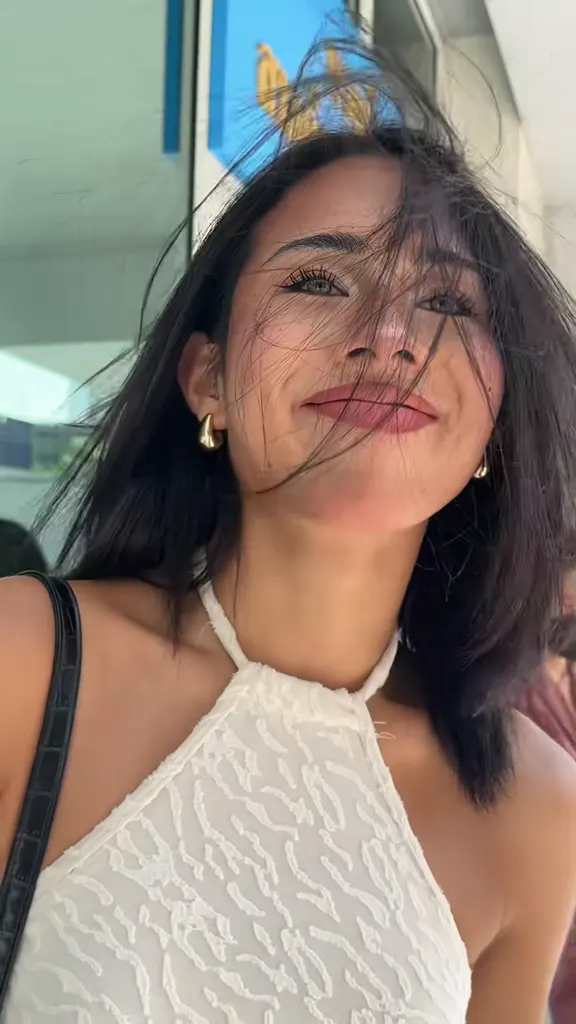
Chest up or waist up, the face clear and lit, looking at or near the camera. No sunglasses and no mask, because the stills are black and white and the eyes are most of what is left. Your hair and your clothes come from the photo, so wear what you want to see in the print. Two people: use a two-person clip and upload one photo each, in the order they should stand.
- 3
Generate, then post it as the shoot
You get the clip back with your face in it — the slow motion, the flash, the black-and-white stills and the original sound of the clip you chose. Post it with a caption that asks the question the trend is built on (“am I photogenic or not?”, “the camera loves me”, “POV: you got your photo shoot”), tag #photogenicfilter and #photogenictrend, and keep the AI label on.
Tips for a Better Photogenic Filter Photo
The eyes are what survives the freeze
Half the clip is black and white, so colour, blush and makeup barely register and the eyes, the brows and the shape of the face do all the work. A photo where you are looking at or near the lens, both eyes visible, no sunglasses and no hair across the face, comes back recognisably you. A photo with the face turned away comes back as a stranger in the stills.
Chest up, not full body
The freeze is a portrait: the clip holds the face and the shoulders, so a full-body photo gets cropped at the chest and the outfit you chose is gone. Send the photo you want on the wall — head and shoulders, in good light — and let the clip supply the pose.
Wear something with a shape
In black and white a plain dark top is a shadow. A collar, a pattern, a strap, a jacket or a necklace gives the stills something to hold, and that is what makes them look like a shoot instead of a frame pulled out of a video. The same goes for hair: down and loose reads better than tied back tight.
Pick the look before the clip
The freeze-frame clips give you a shoot: several poses, a flash on each, black-and-white stills. The three printer clips give you a reveal: one photo, coming out of a machine, in colour. They are different videos with different captions, so decide which photogenic filter effect you are posting before you start scrolling the samples.
Two people: same clip, one photo each
The group and couple versions keep the order of the photo, and whoever is on the left in the photo is on the left in the stills. Use a clip that already has two people in it, upload two photos as Image 1 and Image 2, and say in the box which is which. Four is the practical limit before faces start merging in the black-and-white frames.
The pet version needs the whole animal
A dog or a cat in a freeze-frame shoot is the funniest branch of this trend, and the printer version with a pet photo is the one people repost. Give the model the whole animal with its markings visible — a headshot of a black cat comes back as a grey blob once the colour is gone.
It is not an ID photo
The stills look like a studio portrait, so people try them for passports, visas and staff badges — and every one of those has its own rules about background, expression and retouching, which this does not follow. Use it for the photo you actually want to be seen: your profile, your dating app, your work chat, the print on your wall.
Post it as the question, not the answer
The posts that travel are the ones that ask: “am I photogenic or not?”, “seeing if my boyfriend is photogenic”, “the camera loves me”. The trend does not rate anybody, and pretending it does is what makes the caption work. Tag #photogenicfilter (3,127 videos, 55.2M views) and #photogenictrend, and keep the AI-generated label on when you post.
Pricing
Each photogenic filter video is one use (700 credits), whether you pick any length from 4 to 12 seconds. The price is on the button before you start, and nothing else is added.
A single use is $9.90; packs of 4 and 8 uses, or a monthly plan that posts trend videos to your accounts for you, cost less per video. A render that fails is refunded automatically.
Autopilot plans
Every month we turn the newest trends into meme videos and post them to your accounts. Each post is one of the plan’s videos, and any you make yourself come out of the same count. Cancel any time.
One-time video packs
Pay once and use them on any trend template, at any length. The credits never expire, and the other video tools can spend them too.
Use it responsibly
- Only upload photos of yourself, of people who said yes, or of your own pets.
- Do not use it to make someone look like they did something they did not.
- Label the result as AI when you post it; TikTok and Instagram both have an AI-generated tag.
- The stills are a photo shoot, not a verdict: nothing here measures how photogenic you are, and a clip that comes back well is a clip that came back well.
- A photo of a child is a photo of a child: only post a shoot of one with their parent’s permission.
Frequently Asked Questions
What is the photogenic filter effect?
A TikTok edit that turns a clip into a photo shoot: you pose in slow motion, a shutter clicks with a white flash, and the frame freezes as a black-and-white still before the colour comes back for the next pose. The 2026 version added a printer that prints your photo. It has run since 2020 under a dozen names, and #photogenicfilter holds 55.2M views.
How do I get the photogenic filter effect on TikTok?
The version people post is a CapCut template, opened from the template link on any of the tutorial posts — the ones captioned “click the CapCut icon above” all point at it. This page skips CapCut: pick one of the twelve clips, add a photo, and the video model puts your face through the same freeze and flash, with the clip’s own sound.
Is there a photogenic filter app?
On TikTok the “app” is the one-tap template inside a video editor, and it needs a video of you rather than a photo. The apps called Photogenic AI and Fotogenic are a different thing: they generate a new, more model-like portrait. This page is the effect itself — your own face, frozen mid-pose — in the browser, with nothing to install.
What song is in the photogenic filter?
There is no single sound: the 2022 wave ran on “teenage dream by stephen dawes” (@cata.tan 7.5M and @piperrockelle 7.2M both use it), the 2020 posts ran on “Wrap Me In Plastic (Slowed Down Version)”, and the 2026 printer posts each use their own audio. Your clip keeps the sound of the reference you picked, so you never line it up.
Why do my freeze frames stay in colour, or come out blurry?
The freeze is a moment of the reference clip, not a separate photo, so the model has to land it on the same beat, and a weak run can hold colour through it or soften the face. Run it again with a sharper photo — face clear, big in the frame, good light — or pick another clip and use the same photo in it.
What is the printer version of the photogenic filter?
The 2026 look: a black camera on top of a desk printer by a window, a blank sheet going in, and your photo feeding out of the top in glossy colour while a cutout of you watches it land. It started with @uhz63eclm1’s 1.5M post on 5 October 2026 and @hrophlth25’s 2.8M a week later.
Can I do it with two people, or with my pet?
Both, and both are in the trend. Two people need a clip that already has two — the group and couple versions keep your left-to-right order in the stills. A pet works in either look: it poses in the shoot, or its photo comes out of the printer. Give the model the whole animal, markings visible: the stills keep the shape and lose the colour.
Does it tell me if I am photogenic?
No, and it never did — that is the joke. The trend asks the question in the caption and answers it by taking the photos for you, so the stills come back looking like a shoot whoever is in them. Nothing here scores a face or rates a photo; what you get is a clip of you in the photo shoot.
Is this the same as the photogenic challenge from 2023?
Yes, it is the same edit at a different age. The 2023 “photogenic challenge” was the freeze-frame shoot with a circle running over the face and the caption “using a random video on this template to see if I’m photogenic”; @aakrity_here07’s May 2023 post (1.06M plays) is the one TikTok points at as the original.
What photo works best for the photogenic filter?
One clear photo, head and shoulders, looking at or near the camera, in good light, no sunglasses, no hair across the face, and clothes with a collar or a pattern rather than a plain dark top. The clip decides the scene and the poses; your photo decides the face, the hair and the outfit that the black-and-white stills keep.
What else is the photogenic filter called?
Photogenic filter, photogenic effect filter, photogenic filter 2026, the photogenic challenge, the freeze-frame photo filter, the black-and-white freeze filter and the photo-print filter are all this one edit, and the tags are #photogenicfilter, #photogenicchallenge and #freezeframephoto. Search any of them and it is the same flash, the same freeze and the same stills.
Do I need CapCut?
No. The CapCut template pins one photo into one fixed animation and needs a video to open it. Here you pick the clip whose shoot you want and upload a still photo: the faces, the poses, the flash and the sound all come from the trend post, and you can choose any of the twelve. No watermark on the result.
How long is the video, and what size is it?
As long as the clip you pick — four to twelve seconds, vertical 9:16, 720p — with the reference clip’s own sound underneath. That is the length the posts in the trend run at, and it is ready for TikTok, Reels or Shorts as it comes out.
What is the Photogenic Filter Effect AI prompt?
The you, in the photo shoot prompt is in the AI Prompts section below. It starts: "Replace the person in @Video1 with the person in @Image1: the same place in the frame, the same number of people, the same poses, the same expressions." Paste the rest into any AI video tool that accepts your photos.
One Photo, Four Stills
Pick the clip whose shoot you want to be in, upload one photo, and the photogenic filter effect gives you the slow motion, the flash and the black-and-white stills with your own face in them — and the trend’s sound underneath.
Make my photogenic shootMore Trends to Remix
Rugrats Cartoon Trend
Billy The Puppet Costume
One Photo Cinematic Reveal
I Want Wings Glow Up
Charlie Brown Christmas Filter
AI Hair Dye Filter
Then I Walk In
Angel Of My Dreams
Photogenic Filter Effect Prompt
The prompt this page runs, so you can make the same video in any model that takes a reference clip and a photo. It calls the clip @Video1 and your photo @Image1, and it does two things: hold the freeze-frame move exactly where it is — the slow motion, the shutter, the flash, the black-and-white still, the colour coming back — and put your face on the person inside it, recognisable in the colour frames and in the stills. The other versions on this page are the same prompt with a note on how many people are in the photo, that it is the printer clip, or that the photo is a pet.
You, in the photo shoot
Replace the person in @Video1 with the person in @Image1: the same place in the frame, the same number of people, the same poses, the same expressions. The face from @Image1 stays recognisable in the colour frames and in the black-and-white stills — the same face shape, eyes, eyebrows, nose, mouth, skin tone, hair colour and length, the same clothes with their colours and patterns, the same glasses, beard or earrings. The clip is a photogenic photo shoot, and its move stays exactly as it is: the person poses in slow motion, there is a shutter click with a white flash, the picture freezes and turns black and white for a moment like a printed still, then the colour comes back and the next pose starts. Keep the framing, the camera, the background, the light, the timing, the length and the original sound of @Video1 exactly as they are: the flash, the freeze and the switch to black and white land where they already land. The face is the same person from the first frame to the last, with no morphing, no second face and no extra people. No text, no caption, no app interface, no logo, no watermark.
Other versions: The two of you, side by side · The photo coming out of the printer · Your pet, doing the pose