
AI Haircut Effect: See the Cut Before You Cut It
The AI haircut effect from TikTok, without a CapCut template. Pick a clip, upload one photo, and the AI walks scissors through your hair, lets the strands fall and lands on the new cut, with the sound of the post you chose.
- One photo
- Scissors and hair fall included
- Bob, pixie or buzz cut
- Original sound
Sexually explicit (NSFW) content is strictly prohibited.
Pick a sample
Rendering takes about 7 min. Finished clips land in History.
AI Haircut Effect Examples
Fourteen AI haircut effect clips from TikTok, from the 560K-like bob that opened the wave to the men’s buzz cut test. Each one ends on a different cut, so pick the haircut you want to see before the scissors start.
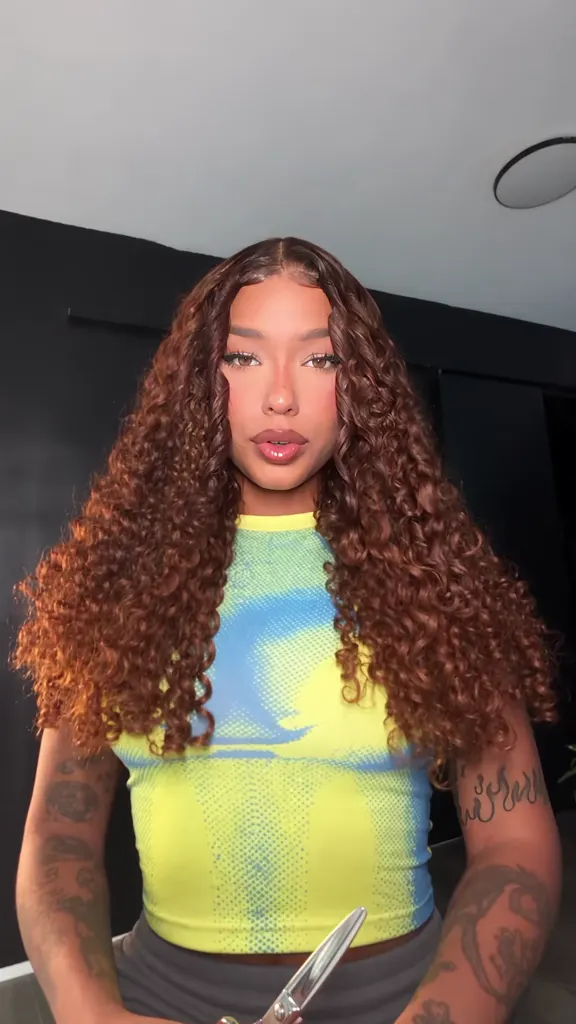
Long curls to a jaw-length bob
@lisabarcelox on TikTok“Curto ou longo?” in the yellow dress
@danialbinu on TikTokDark hair, blunt bob, nine seconds
@evelyn.noda on TikTokTwo cuts, back to back
@nbmukblv on TikTokTwo women, the same bob
@boguhizq80k on TikTokA Thai star with the short look
@plomui on TikTokThe bob cut with a side part
@jazzlyn.alexis on TikTokThe short bob, front and back
@outfitoasis3 on TikTokStraight hair, blunt bob, white tee
@mariannasantosoficial on TikTokThe morph through men’s cuts
@neyyzzahh on TikTokCutting her own hair in the car
@crisborsonelli on TikTokLong to short, in Spanish
@8a203088 on TikTok“Curto ou longo???”
@nayana_peron on TikTokBefore and after, step by step
@j6pwpscek3 on TikTokWhat Is the AI Haircut Effect?
The AI haircut effect is the TikTok trend where a photo of you gets a haircut on camera. A hand with scissors sweeps through your hair, the cut strands drop past your shoulders, and the clip lands on the new style — almost always a chin-length bob, sometimes a pixie, a fringe or a buzz cut.
It started in Brazil on 3 September 2026 as “curto ou longo?” (short or long?), where people ran their own photos and photos of celebrities through the effect and asked their followers to vote. By October the CapCut and Hypic tutorials had carried it through the Philippines, Thailand and Indonesia, and the app accounts there call it the AI Haircut Effect.
As a trend it is not one filter you tap: the AI haircut effect almost always comes out of a template. Almost every post is made from a CapCut template (“cortando o cabelo”) or from Hypic’s hairstyle test: you feed a photo in, the app animates the cut, and you line the result up with the app screen still in the frame. That is why so much of the sound’s feed is tutorials for the template rather than the result, and why the effect spread country by country with the tutorial accounts rather than in one go.
The AI haircut effect here skips the template. Pick one of the clips below, upload one photo, and the AI copies that clip with your face: the same hand, the same scissors, the same fall of hair and the same reveal, at the sample’s length and with the sound of the post you chose. Browse the samples by the cut you are thinking about — bob, pixie, fringe, buzz cut, mullet — and treat the result as the honest answer to “should I cut my hair?”: you see the shape and the length before the mirror, not after.
How to Make an AI Haircut Video With One Photo
- 1
Pick the cut you want to see
Each sample ends on a different haircut and starts in a different room, and the clip you pick decides the haircut, the camera and the sound of the AI haircut effect you get back. The bob is the safe one; the pixie and the buzz cut are the ones people hesitate over.
- 2
Upload one photo
A sharp, front-facing photo with your hair loose and your whole head in frame. The AI takes your face, skin and hair colour from it, so the cut happens to you rather than to a stranger.
- 3
Generate, then post or send it
The prompt is already written for you. The clip comes back at the sample’s length with the post’s own sound, ready to post with #aihaircuteffect — or to send to a barber instead of describing the cut for ten minutes. Every AI haircut effect clip is one use, whatever length the sample runs.
Tips for a Haircut Clip That Looks Real
Hair down, whole head in frame
Hair tied up, a hat or a crop above the ears leaves the model nothing to cut. Front-facing, hair loose, both shoulders in shot: that is the framing every AI haircut effect post in the trend uses.
One face to a photo
The AI haircut effect works on the person the scissors find. Two faces in one photo and the cut can land on the wrong one, so crop to yourself before uploading.
Watch the hands
Scissors and fingers are where the AI haircut effect still slips. If a hand melts or the scissors pass through the hair without cutting it, render again or pick a sample where the hand stays at the edge of the frame.
Choose the cut before you render
The AI haircut effect reveal is the only part people rewatch. Decide whether you want the bob, the pixie or the buzz cut first, then pick the sample whose last frame shows it.
Keep the voice out of it
The AI haircut effect keeps the audio of the post you picked, which is what makes the clip sound like TikTok. Add your own caption in the app after you download, not before.
Pricing
Each AI haircut effect video is one use (700 credits), whether you pick any length from 7 to 12 seconds. The price is on the button before you start, and nothing else is added.
A single use is $9.90; packs of 4 and 8 uses, or a monthly plan that posts trend videos to your accounts for you, cost less per video. A render that fails is refunded automatically.
Autopilot plans
Every month we turn the newest trends into meme videos and post them to your accounts. Each post is one of the plan’s videos, and any you make yourself come out of the same count. Cancel any time.
One-time video packs
Pay once and use them on any trend template, at any length. The credits never expire, and the other video tools can spend them too.
Use it responsibly
- Only upload photos of yourself, of people who said yes, or of your own pets.
- Do not use it to make someone look like they did something they did not.
- Label the result as AI when you post it; TikTok and Instagram both have an AI-generated tag.
- The AI haircut effect makes a clip, not a haircut. Do not pass the result off as a real haircut, and do not put a haircut on someone else to make them look bad.
Frequently Asked Questions
What is the AI haircut effect?
It is a TikTok trend where a photo of you gets a haircut on camera: a hand with scissors sweeps through the hair, the strands fall, and the clip lands on the new cut, usually a chin-length bob. It began in Brazil on 3 September 2026 as “curto ou longo?” and spread through CapCut and Hypic tutorials.
How do I make the AI haircut effect on TikTok?
The manual way is a template: open CapCut or Hypic, search the haircut or hairstyle template, drop your photo in, screen-record the result and post it to the trend’s sound. The faster way is here: pick a sample, upload one photo, and the AI builds the same clip with your face.
Which app is the AI haircut filter from?
Most AI haircut effect posts come from Hypic’s hairstyle test or from CapCut templates called “cortando o cabelo” and “AI haircut”. The photo try-on sites ranking for AI haircut (Fotor, RightHair, media.io) give you still pictures instead, so none of them produces the video.
Does it work for men’s haircuts?
Yes. The men’s half of the trend runs as the buzz cut test or the hairstyle filter: a man’s face cycling through a textured crop, a side part and a close buzz. Two samples here are men only, and the buzz cut and mullet prompts work from any photo.
Is the AI haircut accurate enough to decide a real haircut?
The AI haircut effect is accurate about shape and length, not about clipper work. Use it to rule a cut in or out — how a chin-length bob sits on your jaw, whether a fringe closes your face — then let a barber handle the fade and the blend.
Which haircut suits my face shape?
As a starting point: a jaw-length bob flatters long and oval faces, a pixie or a short crop suits heart-shaped and oval faces, and a fringe shortens a long forehead. Rather than trust a rule, run the AI haircut effect on two samples and compare the last frame of each — that is what the before-and-after half of this trend is for.
Why does the hair in my result look AI?
Two things give the AI haircut effect away: the hands, and what happens between the cut and the reveal. A hand that melts, or scissors that pass through the hair without the strands parting, reads as AI. Re-render, or pick a sample where the scissors stay near the edge of the frame.
Can I put a friend, my partner or a celebrity in it?
Yes, with their permission for people you know. Celebrity photos are the biggest wing of this trend: the Brazilian wave was largely AI giving famous women short hair, and Thai and Filipino posts do the same with their own stars. Label the result as AI when you post it.
Is this the AI haircut machine from TikTok?
No. The AI haircut machine is the fake robot barber: an AI-generated video of a robotic arm cutting someone’s hair in a pod. The AI haircut effect is the other one, a photo of a real person getting an AI haircut with scissors and hair falling.
How long is the video, and can I choose the length?
Each AI haircut effect clip is as long as the sample you pick, from 7 to 12 seconds, and it keeps that sample’s sound. That is the length the trend posts use, so it loops the same way on TikTok, Reels and Shorts.
What is the AI Haircut Effect prompt?
The the jaw-length bob prompt is in the AI Prompts section below. It starts: "Image 1 is the Person." Paste the rest into any AI video tool that accepts your photos.
Cut It on Camera
One photo, one clip, and the AI haircut effect takes the scissors to your hair with the sound of the post you picked.
Make my haircut videoMore Trends to Remix
Victoria Secret AI
Wassup in a Minute
Venom Car Trend
Enchantress Filter
Twilight Baseball Scene AI
Ali G Driving Scene AI
Tung Tung Tung Sahur Dance
Boyfriend Makeup Prank Filter
AI Haircut Effect Prompts
The five AI haircut effect prompts behind the page, for any image-to-video model that takes a reference photo: the jaw-length bob, the pixie cut, a fringe only, the buzz cut and the mullet. Each one spells out the scissors, the falling hair and the finished cut, which is what makes the effect read.
The jaw-length bob
Image 1 is the Person. A hand comes in from the right holding hair scissors, opens and closes them across the hair, and the cut strands slip down past the shoulders. The hair settles into a blunt chin-length bob with a middle part, just clear of the jaw. The Person turns their head once so the bob swings, then looks back at the lens. The person from Image 1 is the one on screen: keep their face, skin tone, hair colour, makeup and expression exactly as in Image 1. Vertical front-camera video, one person in the frame, a plain wall or bedroom behind them, soft indoor light, no text, no logos, no app interface. Audio: the trend's original sound, scissors snipping near the start.
Other versions: The pixie cut · Just the fringe · The buzz cut · The mullet