
Higgsfield Genjutsu: One Photo, Any Clip, Any World
Higgsfield Genjutsu is the edit everyone is copying: a real clip keeps every step, every cut and every camera move, and only the person in it — and sometimes the world around them — changes. Pick one of the twelve clips below, add one photo of yourself or your pet, and the remix comes back playing you at the same speed, with the clip’s own sound. No Higgsfield account, no timeline, no editing.
- One photo
- Twelve real clips
- Keeps the motion
- No watermark
Sexually explicit (NSFW) content is strictly prohibited.
Pick a sample
Rendering takes about 7 min. Finished clips land in History.
TL;DR
At its peak · as ofHiggsfield Genjutsu is the recast edit: a real clip keeps its exact motion — the dance, the dunk, the pour — while the person in it, and sometimes the whole world, is replaced. It is named after the Naruto illusion where what you see is not what is there, and it has been the fastest way to put yourself into a scene you were never in since early September 2026. It is still at its peak: 2,587 videos and 45.1M plays on the hashtag by 31 October, about seventy new ones a day.
- Original post
- The post that made it a meme, 8 September 2026 — a girl in a field while the world behind her turns into creatures · @beshhq
- Also called
- genjutsu ai, genjutsu effect, genjutsu video, genjutsu trend, higgsfield genjutsu ai, genjutsu edit, reality manipulation ai
- Last updated
Higgsfield Genjutsu Clips to Remix
Twelve Higgsfield Genjutsu recasts, from the 6.4M-play pier clip to a hotel room and a brick of cash. Every one is the same trick: real motion, a different person or a different world. Pick the clip whose movement you want, and your photo takes the person’s place.
Two cats on hoverboards
@bellvtrix.ai on TikTokThe biggest one: the pier at golden hour
@beshhq on TikTokTwo cats hosting a podcast
@podcast_kotov on TikTokMy personalities, as creatures
@beshhq on TikTokTwo of you, orange wall
@russioficial on TikTokIndustry Baby in 1920s USSR
@ai.fara.kaz on TikTokPokerface in a living room
@beshhq on TikTokThe Sopranos crew play football
@polidori.dev on TikTokThe village was not ready for Leon
@arminn.ai on TikTokGhost, Soap and a pomeranian
@arminn.ai on TikTokHaaland and Bellingham in the pink room
@arminn.ai on TikTokFanning cash in a hotel room
@hesiclub on TikTokWhat Is the Higgsfield Genjutsu Trend?
Higgsfield Genjutsu is a video recast: you hand the model a clip and it changes who is in it, or where it happens, while the motion stays frame-for-frame real. The name comes from the Naruto illusion technique, where the world you are looking at is not the world that is there. That is exactly what a genjutsu edit does — the dance is real, the face and the street are not.
A Higgsfield Genjutsu post is almost always one continuous take, because the trick only works if the movement has nothing to hide behind. Someone pours a drink, walks down a pier, fans a stack of notes at the lens, dances in a pink room, or gets bundled into a car by two men in Call of Duty masks. The camera keeps its wobble, the cuts stay where they were, the timing does not drift, and the sound is the original clip’s. Only the person, the clothes and sometimes the century change.
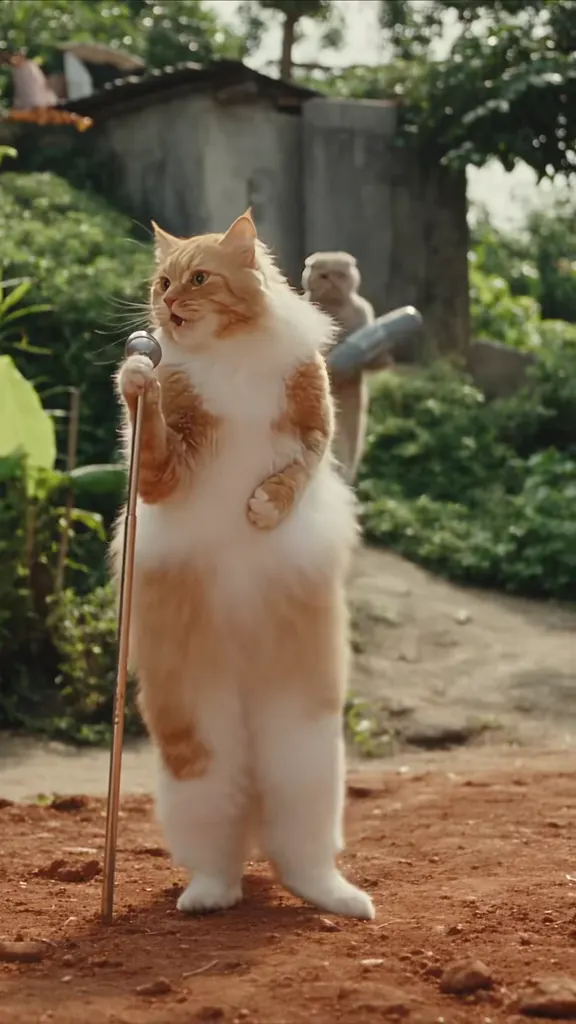
The Higgsfield Genjutsu trend runs in three shapes. The first is you in a scene you were never in: the Sopranos crew playing five-a-side, a Resident Evil village full of torches, a player counting cash on a hotel bed. The second swaps the world instead of the person — a grand hall in 1920s Moscow doing a modern dance, a living room lit like a music video. The third is pets in human roles, which is where most of the plays went: two cats on hoverboards, two cats hosting a podcast, a pomeranian in a Call of Duty car.
Why it lands where filters do not: the movement is real footage, so your eye accepts the physics before your brain checks the face. A transition or a CapCut overlay announces itself; a genjutsu recast keeps the one thing that is hardest to fake — the way a body actually moves — and changes everything that is easy to fake.
The vocabulary in the captions is worth knowing, because it is what people search. “Made with Higgsfield Genjutsu” is on nearly every post. “Beware what you see online” and “shot on iPhone” are the two jokes the format invites. “Simple swaps” and “one shot, one prompt” are how the tutorials describe it, and “genjutsu of that level doesn’t work on me” is the Naruto line people put under the anime-looking ones.
On naming: “higgsfield genjutsu” is the phrase to type — it is what TikTok’s search box suggests first, and what Google puts the brand’s own page on top for. “Genjutsu ai” and “genjutsu ai video” are how the people looking for a tool phrase it. “Genjutsu” alone is Naruto lore — Itachi, the sharingan, who has the best one — and has nothing to do with AI video. “Genjutsu effect” mostly means the CapCut overlay people layer on anime edits, which is a different job from a full recast. And a big slice of the “higgsfield genjutsu” searches are for Higgsfield’s own app: apk, pricing, does it work in the free plan.
That last part is why this page is not a Higgsfield page. The effect is theirs, and the recasts below were made with it; what this page does is the thing the tutorials take ten minutes to explain. The clip is the reference, your photo is the new lead, and the model we run is a different one — you do not need an account with Higgsfield, a subscription, or a timeline.
It started in the first week of September 2026 and took about three weeks to leave the AI-edit niche. By 31 October the hashtag held 2,587 videos and 45.1M plays, still adding around seventy a day, with the big posts now coming from sport and film recasts rather than from the AI accounts that started it. The dates and the posts behind each of them are in the timeline above.
Timeline
The model reaches TikTok: a creator post breaks it down as “simple swaps in your videos” — replace anyone, or anywhere, in an existing clip — and gets 795K plays.
@beshhq posts “my personalities for some reason”: one walk, the world behind it turned into shadow creatures with glowing eyes. 2.6M plays, and the effect becomes a meme.
The biggest day of the trend: @beshhq’s pier cut of the Dave song takes 6.4M plays and 1.18M likes, and @podcast_kotov puts two cats behind podcast mics for 3.0M more.
Pets and history split off: @bellvtrix.ai’s cats on hoverboards (2.7M) the next day, and by 1 October @ai.fara.kaz had the whole of a 1920s Soviet hall dancing to “Industry Baby” for 1.4M plays.
Film and football take it over: the Sopranos crew playing five-a-side (612K) and the Resident Evil village dancing (544K) land the same day.
2,587 videos and 45.1M plays on #higgsfieldgenjutsu, about seventy new ones a day, and the tool’s cheaper Genjutsu Lite is out for longer, faster runs.
How to Make a Higgsfield Genjutsu Video
- 1
Pick the clip whose motion you want
Scroll the twelve Higgsfield Genjutsu clips above and choose on the movement, not the face — that is the part the model copies and the part you cannot change afterwards. A single body doing something continuous and readable works best: a dance routine, a walk toward camera, a pour, a celebration. The clips that look best recast are the ones where the person is clearly doing something with their hands.
- 2
Add one photo of the face going in
Front on, no sunglasses, no hat, even light, and if possible the same framing as the person in the clip — a head-and-shoulders shot for a close clip, a fuller one for a wide shot. One photo is enough, and the model keeps the hair, skin tone and build from it in every frame.
- 3
Generate the recast
The remix comes back at the length of the reference you picked, with its own audio already on it and no watermark. Nothing is added on top: the cut, the camera move and the sound are the clip you chose.
- 4
Post it with the label on
Put it on TikTok or Reels with the AI-generated tag and the caption the format expects — “made with genjutsu”, “beware what you see online”, or just the song title. The joke is that the motion is real, so say plainly that the scene is not.
Tips for a Better Higgsfield Genjutsu Video
The movement is the whole trick
A recast of a still shot looks like an AI photo with a wobble; a recast of a body in motion looks like footage. Choose the reference on how much real movement it has, and keep the person doing something with their hands — pouring, fanning, pointing, dancing.
Match the framing of the photo to the shot
The camera does not move to fit your photo. If the reference is a wide shot of a room, a tight selfie has to be scaled down and it goes soft; if the reference is a close-up, a full-body photo loses the face. Upload the crop that matches what the clip already shows.
Keep the world as it is
The joke of a genjutsu edit is that the world stays exactly where it was. In the remix prompt, do not describe a new set unless you actually want one — the pink room, the village and the pier are already in the reference, and the model will rebuild them if you leave them alone.
One face per clip
Clips with one clear subject recast cleanly. In a crowd the model has to pick a body, and the extra people start drifting. The two-dancer clips here work if your photo goes on the person nearest the camera and you say so in the prompt.
Pets are the easy win
An animal standing upright, doing something human, is the most reposted version of this trend. Pick a reference where the body is already upright, upload the clearest photo of your cat or dog, and keep the species and markings explicit in the prompt.
Short beats long
Fifteen seconds is the ceiling for a remix and it is plenty. Everything after the first read of the joke is dead air, and the shortest clips on this page are the ones that got copied the most.
Pricing
Each Higgsfield Genjutsu video is one use (700 credits), whether you pick 14 or 15 seconds. The price is on the button before you start, and nothing else is added.
A single use is $9.90; packs of 4 and 8 uses, or a monthly plan that posts trend videos to your accounts for you, cost less per video. A render that fails is refunded automatically.
Autopilot plans
Every month we turn the newest trends into meme videos and post them to your accounts. Each post is one of the plan’s videos, and any you make yourself come out of the same count. Cancel any time.
One-time video packs
Pay once and use them on any trend template, at any length. The credits never expire, and the other video tools can spend them too.
Use it responsibly
- Only upload photos of yourself, of people who said yes, or of your own pets.
- Do not use it to make someone look like they did something they did not.
- Label the result as AI when you post it; TikTok and Instagram both have an AI-generated tag.
- A recast puts a real face into footage that was never shot. Do not use it on a real person to show them saying or doing something they did not.
- The clips here are other people’s posts: keep the credit when you repost a recast, and do not sell a recast made from someone else’s footage.
Frequently Asked Questions
What is Higgsfield Genjutsu?
It is a video recast. You give the model an existing clip and it replaces who is in it — or where it happens — while keeping the movement, the cuts, the camera and the timing identical. The name is the Naruto illusion where what you see is not what is there, and on TikTok it means a real dance or a real walk with a different face and world around it.
What does genjutsu mean?
In Naruto, a genjutsu is an illusion technique that takes over your senses, so the world you are looking at is not the real one. The AI effect borrowed the name because it does the same thing to a video: the movement is real, everything it is happening in is not. People also know the line “genjutsu of that level doesn’t work on me”, which is where half the anime edits get their captions.
Is this Higgsfield? Do I need an account?
No. The effect is Higgsfield’s and the recasts below were made with it, but this page is not their site and does not sell their app. Here the clip is the reference and your photo is the new lead, rendered on a different video model — no Higgsfield account, subscription or app install. You pay per video and nothing else.
Is there a free way to make a Higgsfield Genjutsu AI video?
The cheapest way in is a clip you already like plus one photo, which is what this page asks for: no timeline, no template, no editing. Higgsfield’s own Genjutsu is a paid model inside their app, and the “free” searches around it are mostly people looking for an alternative, which this is — pick a clip, pay per video, download it without a watermark.
What happened with Higgsfield Genjutsu?
It reached TikTok in the first week of September 2026 as a tool demo, became a meme on 8 September with @beshhq’s “my personalities”, and peaked at the end of September when the pier clip and the cat podcast landed on the same day. Through October it moved from AI accounts to sport and film recasts. On 31 October the hashtag held 2,587 videos and 45.1M plays, still adding about seventy a day.
Can I make a Higgsfield Genjutsu video with my pet?
Yes, and it is the version most likely to get reposted. Cats and dogs work because the model keeps fur, markings and eye colour across the recast — the two cats on hoverboards and the two cats with podcast mics here are the same genjutsu ai trick with animals. Upload a clear photo of your pet facing the camera, on a reference where its body is already upright.
Do I need a CapCut template for the Higgsfield Genjutsu effect?
No. There is one under the trend’s name with about 43,000 uses, but it only cuts between clips — it cannot put your face into someone else’s motion. The recast is the part people are actually watching, which is why the biggest posts are single shots rather than template edits.
What song do genjutsu videos use?
There is no single sound. The pier clip uses Dave’s “Raindance”, the living-room one uses “Pokerface”, the pink room uses “APT”, and plenty of posts just keep the original audio. That is why this page does not lay one track over everything: your video keeps the sound of whichever reference you pick, which is also the sound the post had on TikTok.
How long should a Higgsfield Genjutsu video be?
The remix takes the first fifteen seconds of the clip you pick, and shorter when the clip is shorter — that is what the model copies. The samples on this page run from thirteen seconds to thirty, so the long ones give you their best opening movement. Short wins: the joke has to land in the first two seconds.
Can I put a celebrity in it?
People do, and the trend is full of film and sport recasts. The line is the one in the responsible-use note: do not use a real person to make it look like they said or did something they did not. A recast of a favourite scene with your own face in it is the format; a fake clip of a real person is not.
What is the Higgsfield Genjutsu AI prompt?
The pink room prompt is in the AI Prompts section below. It starts: "Image 1 is the Person." Paste the rest into any AI video tool that accepts your photos.
Put Yourself In The Clip
Pick a clip, add one photo, and post your own Higgsfield Genjutsu recast with the motion and the sound still real.
Make my genjutsu videoMore Trends to Remix
Twilight Baseball Scene AI
Photo to Talking
ABCDEFG I Need Money
Victoria Secret AI
Hit the Road Dude
Shaking Head Trend
Ali G Driving Scene AI
Kung Fu Cat AI
Higgsfield Genjutsu Prompts
The Higgsfield Genjutsu prompt above puts your photo into a real clip, which is how the posts on this page were made. The five text prompts are for the open generator: they build a genjutsu scene from scratch around Image 1, so you can have a world nobody has posted yet — a pink studio, a medieval village, 1920s Moscow, a pet podcast or a street that keeps turning into somewhere else.
Pink room
Image 1 is the Person. A wide shot of a completely pink studio: pink floor, pink walls, a drum kit in the corner and a stack of speakers. The Person and one other dancer, both in football kit, run the same loose dance — arms out, a shimmy, a spin, a lean into the lens — while the camera drifts around them. Keep the Person's face, hair and build from Image 1 exactly. Photoreal footage, shot like the reference: handheld phone framing, natural light, real skin and fabric, no captions, no logos, no watermark. Audio: a bright pop beat, the room’s echo.
Other versions: Village at night · 1920s USSR · Cat podcast · World changes behind you